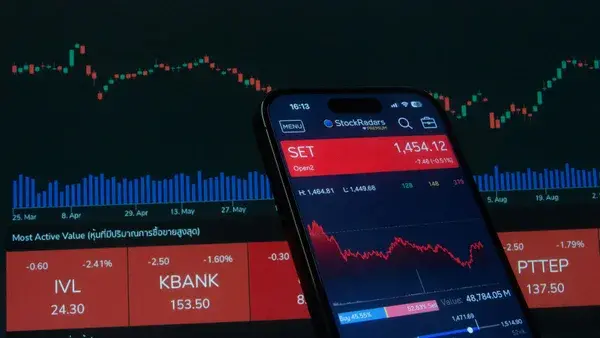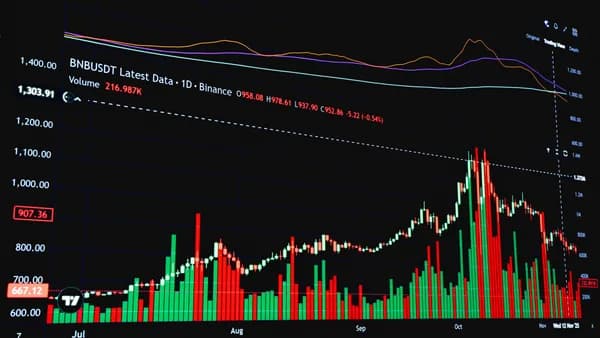
For beginner investors, the sheer volume of financial data and complex charts can be overwhelming. The good news is that you don’t need to spend a fortune on premium subscriptions to start learning. A robust ecosystem of free technical analysis software exists, offering powerful charting tools, screeners, and simulators specifically designed for those taking their first steps. These platforms allow you to practice, analyze, and develop strategies without any upfront investment, making them the perfect launchpad for new traders. This guide explores the most capable and genuinely free tools available, as rigorously tested and documented by financial researchers.
What to Expect from 'Free' Technical Analysis Platforms
When evaluating free technical analysis software, it's crucial to manage expectations. "Free" doesn't mean powerless; many platforms offer surprisingly deep functionality to attract users. However, the trade-offs are usually consistent across the board. According to extensive testing, the most common limitations involve data delays, the number of simultaneous indicators allowed on charts, and access to advanced alerts or backtesting features.
Most paid tools aren't worth the subscription. And a lot of the ‘free’ ones are just lead magnets with barely any functionality. But after months of testing, I found 12 free stock analysis software tools that genuinely help me make better investment decisions.
The key is to identify which free tier aligns with your learning style, whether you prioritize social charting, visual screening, pure simulation, or real-time news. The best approach is to start with a tool that covers your primary interest (e.g., charting with TradingView or screening with Finviz) and supplement it with others as needed. Remember, the goal for beginners is education and practice, not professional-level speed or unlimited features.
TradingView (Free Plan): Social Charts and Broad Coverage
Widely regarded as the community standard, TradingView tops many lists for best free charts. As one researcher notes, "The charting is unmatched. I use the free version daily and it's more than enough for most traders." Its web-based platform requires no download and works seamlessly on desktop and mobile.
The free plan provides a robust toolkit for beginners:
- Real-time data for a clear market view.
- Access to 100+ pre-built studies (indicators) and drawing tools.
- Customizable technical analysis and stock screeners.
- A massive library of user-created scripts and indicators shared within its social platform.
- Coverage of stocks, forex, and cryptocurrencies like Bitcoin.
Its intuitive interface and social features allow beginners to learn not just from charts but also from the analysis shared by a vast community of traders.
Finviz: Powerful Stock Screener with Basic Charts
For investors who start their research with screening, Finviz (Financial Visualizations) is an exceptional free tool. It excels at providing a macro-to-micro visual overview of the market. The platform’s strength lies in its visual heat maps and highly granular stock screener, which allows you to filter stocks using dozens of fundamental, technical, and descriptive criteria.
Key features of the free version include:
- A powerful stock screener with numerous filters.
- Visual heat maps for quick sector analysis.
- The ability to track 50 portfolios with 50 tickers each.
- 36 charts per table for comparative analysis.
The primary limitation to note is data timing: quotes on the free tier are delayed by 5 minutes, not real-time. This makes it ideal for swing traders and investors conducting research rather than for high-speed day trading.
MetaTrader 4/5: The Forex Staple with Endless Free Indicators
While the source data focuses more on multi-asset platforms, MetaTrader 4 (MT4) and MetaTrader 5 (MT5) are the undisputed standards in the forex and CFD trading world, and both offer powerful, completely free desktop platforms. They are worth a specific mention for beginners interested in currency markets. These platforms are packed with features crucial for technical analysis:
- Advanced Charting: Highly customizable charts with multiple timeframes.
- Endless Free Indicators: Comes with dozens of built-in technical indicators (like Moving Averages, RSI, Bollinger Bands) and supports thousands more created by the community.
- Automated Trading: Supports Expert Advisors (EAs) for algorithmic trading strategies.
- Backtesting: The ability to test trading strategies on historical data.
While the platforms themselves are free, you need to connect them to a broker account (which can be a demo account) to get data. They are less beginner-friendly than some web-based options but offer unparalleled depth for those willing to learn.
Thinkorswim PaperMoney: A Full Simulator with Real Tools
Thinkorswim from TD Ameritrade (now part of Charles Schwab) is a professional-grade platform famous for its depth. Its PaperMoney feature is a fully functional trading simulator that grants free access to the complete platform using real-time market data. This is an incredible resource for beginners.
With PaperMoney, you get:
- A free trading simulator with virtual currency to practice without risk.
- Access to the platform's advanced charting with hundreds of studies.
- Robust stock and options screeners.
- The ability to set custom alerts and create watchlists.
You typically need to open a TD Ameritrade/Charles Schwab account to access Thinkorswim, but there is no minimum deposit required to use the PaperMoney simulator. It allows beginners to learn on a platform used by professionals, making the transition to live trading smoother.
Yahoo Finance: Surprisingly Capable Free Charts
Don't overlook the classics. Yahoo Finance is completely free, requires no account for basic features, and is surprisingly capable. One tester's experience was clear: "Don't sleep on Yahoo Finance. It's basic but gets the job done. I still use it for quick quote checks and basic charting."
For a beginner, its offerings are solid:
- 100+ technical indicators to apply to charts.
- Real-time quotes for timely data.
- Basic drawing tools and comparison features.
- An integrated news feed for fundamental context.
Its simplicity is its greatest asset for newcomers who might be intimidated by more complex interfaces. It provides all the essential tools for performing basic technical analysis without any clutter.
Webull Desktop: Zero-Commission Brokerage with Advanced Charts
Webull is a zero-commission brokerage that offers a powerful desktop trading platform for free upon account opening. While the source data highlights other brokers like Robinhood for execution, Webull's platform is particularly noted for its advanced charting capabilities baked into a free trading app.
Features relevant for technical analysis beginners include:
- Advanced, customizable charts with over 100 technical indicators.
- Technical analysis tools like drawing tools and multiple chart types.
- Real-time market data and news.
- Paper trading functionality to practice with virtual funds.
Since it's a brokerage platform, you get the dual benefit of a practice environment and a venue for eventual live trading, all with no commission on stock and ETF trades. The charting experience is significantly more advanced than many other free brokerage apps.
Investing.com: Extensive Markets and Economic Calendar
Investing.com is a comprehensive financial portal that offers a robust set of free tools. It's an excellent all-in-one resource for beginners looking to combine technical analysis with broader market context. Its global coverage is a standout feature.
The free version provides:
- Advanced charting tools with a wide array of technical indicators and drawing tools.
- Real-time quotes (for most major instruments) and an extensive economic calendar.
- Coverage of global markets, including stocks, indices, forex, commodities, and cryptocurrencies.
- Financial news and analysis from around the world.
The platform is web-based and intuitive, making it easy for beginners to jump from analyzing a chart of a U.S. stock to checking the forex market or the impact of a recent economic data release.
Comparing the Limitations: Delayed Data, Number of Indicators, and Alerts
To make an informed choice, beginners must understand the common constraints of free plans. The trade-offs usually involve data speed, analytical depth, and automation. Here’s a comparison based on the researched source data:
| Software | Key Free Limitation (as per sources) | Primary Free Strength | Best For Beginners Who... |
|---|---|---|---|
| TradingView | Limited number of indicators per chart (on free plan). | Social charting, 100+ studies, real-time data. | Want to learn from a community and love customizable charts. |
| Finviz | Quotes delayed 5 minutes. | Unmatched visual screening and heat maps. | Start research with screening and prefer visual data. |
| Thinkorswim | Requires a brokerage account (demo ok). | Full professional simulator with real-time data. | Want to practice in a professional-grade environment risk-free. |
| Yahoo Finance | Less advanced interface than dedicated platforms. | 100+ technical indicators, real-time quotes, simplicity. | Need a straightforward, no-sign-up tool for quick analysis. |
| StockCharts.com | Free version limited to 3 indicators & 3 overlays per chart. | Clean, focused charting with custom technical alerts. | Prefer a dedicated, no-frills charting tool for clear analysis. |
| Benzinga Pro | Real-time news, but quotes are 15-min delayed on free tier. | Lightning-fast newsfeed and market-moving alerts. | Want to pair technical analysis with real-time news context. |
The 5-minute delay [on Finviz] is annoying but manageable for swing traders.
The most critical limitation for active traders is delayed data, which can range from 5 to 20 minutes. For beginners learning patterns and testing strategies, this delay is often inconsequential and a fair trade for free access.
How to Progress from Free Tools to Paid Platforms
The consensus from testers is clear: Don't pay for premium until you've maxed out what the free versions offer. Most people never need to upgrade. Your journey should be structured:
- Foundation: Start with one primary tool (e.g., TradingView for charts, Finviz for screening, Thinkorswim PaperMoney for simulation). Use it extensively until you understand its features and your own analytical style.
- Supplementation: Add a secondary tool to cover a weakness. If your primary is a charting tool, add a news source like Benzinga Pro's free tier or CNN Money. If it's a screener, add a charting tool like Yahoo Finance for deeper technical validation.
- Evaluation: Before considering paid plans, exhaust all free trials offered (like Seeking Alpha's 7-day Premium trial or Scanz's 7-day free trial). This gives you a taste of premium features like advanced screeners or real-time scanners.
- Upgrade Decision: Only upgrade if a specific, recurring limitation actively hinders your process. For example, if you constantly need more than 3 indicators on StockCharts.com, or if the 5-minute delay on Finviz conflicts with your evolving trading style. The paid upgrade should solve a concrete problem you are experiencing.
FAQ
What is the best completely free charting software for beginners? Based on hands-on testing, TradingView is frequently cited as having the best free charts due to its intuitive interface, social features, real-time data, and vast library of over 100 pre-built studies. Yahoo Finance is also a top contender for its simplicity, 100+ indicators, and zero account requirement.
Can I get real-time data for free? Yes, but not universally. TradingView, Yahoo Finance, and Thinkorswim PaperMoney provide real-time data on their free tiers. However, popular tools like Finviz (5-minute delay) and Benzinga Pro's free version (15-minute delay for NASDAQ quotes) offer delayed data as their free tier limitation.
Is there free technical analysis software with a trading simulator? Absolutely. Thinkorswim PaperMoney is a premier free simulator offering a professional-grade platform with virtual money. TC2000 also includes a free trading simulator for practicing stock and options strategies without risk.
Which free tool is best for finding stocks to analyze (screening)? Finviz is highlighted for its powerful visual stock screener and heat maps. Stock Rover is also praised for its excellent free screener covering thousands of stocks and ETFs with analyst ratings and rankings.
Are these free platforms safe and secure to use? The platforms listed in the source data are established, reputable financial technology companies or brokerages (like TradingView, Yahoo Finance, and TD Ameritrade's Thinkorswim). They are safe to use for analysis and simulation. Always ensure you are downloading software or accessing the official website.
Bottom Line
For beginner investors, the landscape of free technical analysis software is rich and capable. You can access professional-level charting with TradingView, powerful visual screening with Finviz, or a full-risk simulator with Thinkorswim PaperMoney, all at no cost. The key is to start with one tool that matches your interest, leverage its strengths, and understand its limitations, most commonly delayed data or a cap on indicators. As tested and confirmed by experienced researchers, these free tiers are more than sufficient to build a solid foundation in technical analysis. Maximize these resources fully before ever considering a paid subscription.