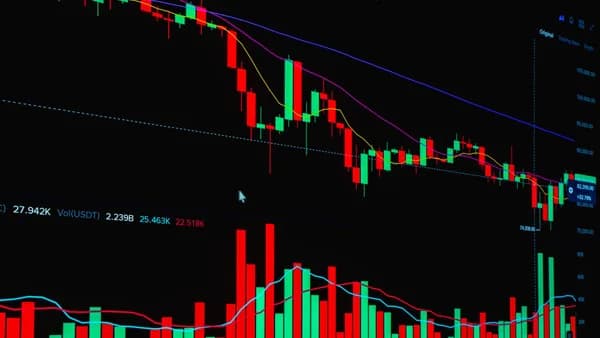
If you trade price action, the best volume profile tools stock traders can use are the ones that show where volume traded, not just when it traded. A standard volume bar tells you activity by time; volume profile turns that same idea sideways and maps participation at specific price levels, making support, resistance, liquidity zones, and “fair value” easier to evaluate.
XOOMAR Intelligence
Analyst Take
This roundup compares platforms and charting tools mentioned in the source data: TradingView, Overcharts, Quantower, and Deepvue. The goal is not to crown one universal winner, but to help active stock traders choose the right tool for intraday execution, swing-trading structure, and price-action confirmation.
What Volume Profile Shows That Standard Volume Bars Miss
Traditional volume bars sit below a price chart and show how much activity occurred during each candle or time interval. That is useful, but it does not answer a key price-action question: At which prices did traders actually do the most business?
Volume Profile answers that by plotting trading volume against price rather than time. According to marketfeed, this helps traders identify price levels where significant activity occurred, which often become important support and resistance zones.
Volume Profile is reactive, not predictive. It shows where trading activity already happened, helping traders understand why certain levels may matter.
TradingView describes volume profile as an advanced charting indicator that displays trading activity over a specified time period at specified price levels. It uses user-defined parameters such as the number of rows and the selected time period to plot a histogram on the chart.
The core levels volume profile reveals
| Volume Profile Concept | What It Shows | Why Price-Action Traders Care |
|---|---|---|
| Point of Control, or POC | The price level with the highest traded volume during the selected period | Often acts as a pivot or “market memory” level |
| Value Area, or VA | The range where a specified percentage of volume traded, commonly 70% | Helps define fair value or balance |
| Value Area High, or VAH | The upper boundary of the value area | Can act as resistance or breakout reference |
| Value Area Low, or VAL | The lower boundary of the value area | Can act as support or breakdown reference |
| High Volume Node, or HVN | A cluster of heavy volume at a price level | Often marks consolidation or fair value |
| Low Volume Node, or LVN | A low-volume gap or valley | Price may move quickly through it |
Deepvue summarizes the practical difference clearly: volume profile maps volume stacked at price, not time. It shows where traders agreed, where they fought, and where the market showed little interest.
For stock traders using candles, breakouts, pullbacks, and support/resistance, that matters because a breakout through a low-volume zone can behave differently than a breakout directly into a high-volume shelf.
Core Volume Profile Features to Look For
When comparing volume profile tools stock traders should look beyond whether the platform simply has a histogram. The most useful tools let you anchor, segment, and compare profiles across different market contexts.
1. Multiple volume profile types
TradingView’s support documentation lists several volume profile formats, including:
- Auto Anchored Volume Profile
- Fixed Range Volume Profile
- Periodic Volume Profile
- Session Volume Profile Charts
- Session Volume Profile HD
- Visible Range Volume Profile
These different profile types support different workflows. A day trader may want a session profile. A swing trader may want a fixed range over a consolidation. A trader studying an earnings gap may prefer an anchored profile.
2. POC, VAH, VAL, and value area controls
A serious volume profile tool should show the POC, VAH, VAL, and value area. TradingView explains that the value area is typically set to 70%, though the trader can choose the percentage.
marketfeed also notes that adjusting the fair value range can sharpen analysis. For example, reducing the default 70% value area to 35% narrows the focus to more concentrated price zones.
3. Anchored and fixed-range analysis
Deepvue distinguishes between:
- Visible Range, or VPVR: Auto-generates based on what is visible on the screen.
- Anchored Volume-by-Price, or AVbP: Starts from a trader-selected event, such as an earnings gap, major breakout, or news candle.
- Measured Volume Profile: Uses a trader-defined start and end point, useful for ranges, consolidations, or trend legs.
Deepvue warns that VPVR can be risky if used loosely because the profile shifts when the trader zooms in or out.
For price-action traders, anchored and measured tools often provide cleaner context than a profile that changes every time the chart view changes.
4. Intraday and session tools
Intraday traders often study the previous day’s profile to prepare for the next session. marketfeed highlights previous-day POC and high-volume nodes as critical support and resistance zones.
Overcharts also offers session and intraday profile types. Its session volume profile is built on trading hours defined in the chart or indicator settings, and the platform allows four different sessions in the same indicator.
5. Order-flow and delta context
Some platforms go beyond horizontal volume and add order-flow views. Quantower includes cluster charts, buy and sell trades, delta, time statistics, histograms, VWAP, and historical Time & Sales.
Overcharts also supports Bid/Ask style display and can draw a Delta Profile side by side with, or overlapped on, the volume profile.
These features are especially relevant for active traders who want to connect price structure with buying/selling imbalance.
Best Volume Profile Tools for Stock Traders
Below is a practical list of the best-documented platforms from the source data. This is not a ranking based on unverified performance benchmarks; it is a feature-based comparison grounded in the available research.
1. TradingView — Best for flexible chart-based volume profile analysis
TradingView is one of the most clearly documented options in the source data for volume profile analysis. Its support documentation lists volume profile as available through chart types, indicators, and drawing tools.
TradingView supports multiple profile formats, including Auto Anchored Volume Profile, Fixed Range Volume Profile, Periodic Volume Profile, Session Volume Profile Charts, Session Volume Profile HD, and Visible Range Volume Profile.
For stock traders, TradingView states that volume profile calculations use trade volume for stocks. It also explains that profiles are calculated using data from lower timeframes. For example, to calculate a daily session profile, the system can load all 1-minute bars traded during that session, analyze price levels, and build the histogram.
Best fit: Traders who want broad charting flexibility, anchored profiles, fixed ranges, and session-based profile views.
Key cautions: TradingView warns that volume profile on non-standard chart types such as Heikin Ashi, Renko, Line Break, Kagi, Point and Figure, and Range charts may distort price and volume data.
2. Overcharts — Best for dedicated profile types and session segmentation
Overcharts offers a broad set of profile tools, including volume profile by intraday, session, composite, range, day, weekly, monthly, and as an additional column on DOM.
Its documented profile types include:
- Session Volume Profile
- Intraday Volume Profile
- Long-Term Volume Profile
- Range Volume Profile
- Composite Volume Profile
- Swing Volume Profile
The platform also includes TPO Profile, Volume Delta, VWAP, Volume Meter, Volume on Bid/Ask, and Session Statistics.
Overcharts is especially notable for its session configuration. Its session profile can be built on trading hours defined in the chart or indicator settings, and users can define four different sessions in the same indicator.
Best fit: Traders who want multiple profile formats, session segmentation, swing-leg profiles, Bid/Ask style, delta profile, and VPOC tools.
Key cautions: The source data says Overcharts offers “Try it for free,” but it does not provide detailed subscription pricing in the available material.
3. Quantower — Best for volume profile plus order-flow context
Quantower emphasizes volume analysis and order-flow tools. Its source data lists cluster charts, volume profiles, time statistics, histograms, VWAP, and historical Time & Sales.
Quantower’s volume profiles show how total volume, buy and sell trades, and delta were distributed over a selected period. It also supports step and custom profile settings, allowing traders to set a volume profile step and examine distribution of trades, delta, or buy/sell volume for a selected time range.
A particularly useful documented feature is Left & Right Volume Profile, which lets traders place profiles on both sides of the chart and analyze different periods simultaneously on one combo profile.
Quantower also includes time statistics and histograms with 20+ data types, including volume, number of trades, separate buy/sell data, delta, filtering volume data, and average/maximum trade size.
Best fit: Traders who want volume profile, delta, cluster charts, VWAP, Time & Sales, and order-flow style analysis in one workflow.
Known pricing from source: Quantower states that its All-in-one license starts from $70 monthly.
4. Deepvue — Best for volume profile strategy education and swing-trading context
Deepvue is most useful in the source data as a strategy and education reference for volume profile workflows. It explains practical uses of VPVR, Anchored Volume-by-Price, and Measured Volume Profile, and it emphasizes combining volume profile with price action, moving averages, VWAP, and fundamentals.
Deepvue’s guidance is particularly relevant for swing traders because it discusses anchoring profiles from major events such as earnings gaps, major breakouts, news candles, and breakdowns. It also mentions multi-timeframe confluence, including daily profiles for long-term support/resistance, hourly profiles to track where buyers or sellers reloaded, and 5/15-minute profiles for entries or exits.
Deepvue also references swing trading presets for screening multi-timeframe confluence, but the source data does not provide detailed platform pricing or a full feature list for volume profile charting.
Best fit: Traders who want a structured framework for using profile levels with price action and multi-timeframe analysis.
Key cautions: The source data supports Deepvue as a strategy and workflow reference, but does not provide enough detail to compare its charting package feature-for-feature against TradingView, Overcharts, or Quantower.
Volume profile tools comparison table
| Tool | Documented Volume Profile Features | Strongest Use Case | Pricing Data in Sources |
|---|---|---|---|
| TradingView | Auto anchored, fixed range, periodic, session, session HD, visible range; POC, VAH, VAL, developing POC/VA styling | Flexible charting and visual profile analysis | Not provided in source data |
| Overcharts | Session, intraday, long-term, range, composite, swing profiles; VPOC, naked VPOCs, value area, Bid/Ask style, delta profile | Dedicated profile workflows and session segmentation | “Try it for free” mentioned; detailed pricing not provided |
| Quantower | Volume profiles, buy/sell trades, delta, step/custom profiles, left/right profiles, VWAP, Time & Sales | Volume profile plus order-flow context | All-in-one license starting from $70 monthly |
| Deepvue | Strategy guidance for VPVR, anchored volume-by-price, measured profiles, multi-timeframe confluence | Swing-trading framework and profile strategy education | Not provided in source data |
Best Platforms for Intraday Volume Profile
Intraday traders usually care about where the previous session accepted price, where the current session is building value, and whether price is moving through high-volume or low-volume areas.
marketfeed specifically notes that intraday traders can analyze the previous day’s volume profile to anticipate trends for the next session. Key levels such as POC and high-volume nodes can provide support and resistance zones.
Intraday feature comparison
| Platform | Intraday-Relevant Features from Source Data | Practical Use |
|---|---|---|
| TradingView | Session Volume Profile Charts, Session Volume Profile HD, Visible Range, Fixed Range, developing POC, developing VA | Previous-day profile, session structure, current value development |
| Overcharts | Intraday profiles built at regular intervals in minutes or bars; session profiles; four sessions in one indicator | Session-by-session analysis and intraday profile sequencing |
| Quantower | Cluster chart, buy/sell trades, delta, left/right profiles, time statistics, VWAP, Time & Sales | Active execution with profile plus order-flow context |
| Deepvue | 5/15-minute profiles discussed for entries and exits; VWAP + AVbP strategy context | Intraday confirmation within a broader strategy framework |
TradingView for intraday profiles
TradingView’s session tools are useful for traders who want to compare the current day’s open with the previous day’s value area. TradingView’s own example strategy describes comparing the current day’s opening price to the previous day’s volume profile.
If the current day opens above the previous day’s value area but below the profile high, the example looks for a retracement toward the POC and then continuation upward. If the current day opens below the previous day’s value area but above the profile low, it looks for a retracement toward the POC and then continuation downward.
Overcharts for intraday segmentation
Overcharts is especially well documented for intraday segmentation. Its intraday volume profile is represented by a sequence of profiles built within the session at regular intervals, and those intervals can be set in minutes or bars.
That makes it suitable for traders who want to see how value shifts inside the session, not just after the session closes.
Quantower for execution context
Quantower stands out when the trader wants more than profile levels. Its cluster chart combines price, volume, time, and order flow on a single chart, and its profiles show total volume, buy/sell trades, and delta over a selected period.
For traders who actively monitor liquidity levels, delta, VWAP, and Time & Sales, Quantower has the most order-flow-heavy feature set in the provided data.
Best Tools for Swing Trading and Support/Resistance Mapping
Swing traders typically care less about every intraday rotation and more about where institutions or active market participants previously accepted price. Volume profile can help define these zones over several sessions, weeks, months, or event-based ranges.
marketfeed notes that swing traders can study volume profile over a week or month to identify longer-term trends. Consolidation patterns and high-volume zones can help traders understand upcoming support and resistance levels.
Swing-trading use cases by tool
| Tool | Swing-Trading Strength | Source-Grounded Example |
|---|---|---|
| TradingView | Fixed Range and Auto Anchored profiles | Plot a fixed profile over a consolidation or anchor from a major chart event |
| Overcharts | Long-term, composite, range, and swing profiles | Build profiles over last n sessions, days, weeks, months, or per Zig-Zag leg |
| Quantower | Custom period profiles and left/right comparison | Compare two selected periods on one chart using left/right profiles |
| Deepvue | Anchored and measured strategy framework | Anchor from earnings gaps, breakouts, news candles, or breakdowns |
Why high-volume and low-volume zones matter
TradingView explains that high volume nodes are peaks in volume at specific price levels. These can represent consolidation zones where buyers and sellers found balance.
When price returns to a previous HVN, traders may expect it to slow down or move sideways. That does not guarantee a reversal, but it gives price-action traders a zone to watch.
Low volume nodes are the opposite. They are valleys where the market moved quickly and did not spend much time. Deepvue describes these as areas where price may “fly,” while TradingView notes that price is more likely to move quickly through or react sharply around prior LVNs.
Anchoring profiles around major events
For swing traders, Deepvue’s anchored volume-by-price guidance is especially practical. It suggests anchoring from major events such as:
- Earnings gaps
- Major breakouts
- News candles
- Breakdowns
This helps answer a specific question: Since this event changed the stock’s structure, where has volume actually accumulated?
How to Compare Pricing, Data Quality, and Exchange Fees
Commercial searches for volume profile tools stock traders often come down to three practical issues: features, data quality, and total cost. The source data gives clear information in some areas and limited information in others.
Pricing comparison from available source data
| Tool | Pricing Information Available in Sources | What Traders Should Verify |
|---|---|---|
| TradingView | No pricing details provided in the source data | Whether the desired volume profile tools are included in the trader’s plan at the time of writing |
| Overcharts | Source mentions “Try it for free,” but no detailed pricing | Trial limits, paid plan costs, market data requirements |
| Quantower | All-in-one license starting from $70 monthly | Whether exchange data, broker connections, or additional services affect total cost |
| Deepvue | No pricing details provided in the source data | Whether required presets, scans, or charting features are included |
At the time of writing, the provided sources do not include exchange fee schedules for these platforms. Traders should verify real-time stock data costs, exchange entitlements, and broker/data vendor requirements directly with the platform.
Data quality considerations
TradingView provides useful detail on how volume profile calculations work. It states that volume profile indicators are calculated using data from lower timeframes for the same symbol. For stocks, TradingView uses trade volume.
It also notes that for indices, forex, and crypto CFDs, volume profile uses tick volume, which represents the number of price updates. For crypto, it may use base or quote volume.
This distinction matters. Stock traders are generally working with actual trade volume, while some other asset classes may use proxies.
Up/down volume is not the same as buy/sell volume
TradingView states that it uses up/down volume rather than true buy/sell volume. If a bar closes greater than or equal to its open, it is treated as up volume; if it closes below its open, it is treated as down volume.
Quantower and Overcharts, by contrast, document features related to buy/sell trades, Bid/Ask style, delta, and order-flow displays. The available source data does not provide a standardized calculation comparison across platforms, so traders should review each platform’s documentation before relying on delta-style readings.
Be careful with non-standard chart types
TradingView specifically warns that volume profile indicators on non-standard chart types can distort the data. The listed chart types include:
- Heikin Ashi
- Renko
- Line Break
- Kagi
- Point and Figure
- Range
For price-action traders, this is a major caution. If the candles themselves are synthetic or transformed, the profile may not represent actual price and volume in the expected way.
Volume Profile Mistakes Beginners Should Avoid
Volume profile is powerful, but it is easy to misuse. Beginners often treat profile levels as prediction engines instead of context tools.
Common mistakes and better habits
| Mistake | Why It Matters | Better Approach |
|---|---|---|
| Treating volume profile as predictive | Volume profile is reactive and historical | Use it to identify context, then confirm with price action |
| Overusing VPVR while zooming | Deepvue warns VPVR shifts when the chart view changes | Use fixed range or anchored profiles for serious decisions |
| Ignoring price action | Profile levels alone do not define entries | Watch candles, breaks, rejections, and acceptance around VAH/VAL/POC |
| Assuming HVNs always reverse price | HVNs can slow price, but not guarantee reversal | Treat HVNs as decision zones, not automatic trade signals |
| Trading thin markets the same way | Deepvue notes volume profile is less effective in thin markets | Favor liquid stocks where volume data is more meaningful |
| Using distorted chart types | TradingView warns non-standard charts can distort profile data | Use standard price charts when profile accuracy matters |
Do not confuse “fair value” with “must reverse”
The value area often shows where a large share of trading occurred, commonly 70%. That does not mean price must stay there forever.
A stock can break from value and trend strongly. The key is to observe whether price is accepted outside the value area or rejected back into it.
Do not use too many indicators
Deepvue recommends pairing volume profile with one or two supporting tools rather than building “indicator soup.” Its suggested combinations include:
- Moving averages: 20/50 EMA for trend confirmation
- VWAP: Especially when combined with anchored volume-by-price
- Price action: Reversal candles or patterns at VAL or HVN
- Fundamentals: Anchoring from earnings events
For price-action traders, the cleanest workflow is usually profile structure first, candle confirmation second, and risk management always.
Choosing the Right Tool for Your Trading Workflow
The best platform depends on how you trade. A scalper, intraday trader, and swing trader may all use volume profile differently.
If you mainly day trade stocks
Look for session profiles, developing value area, previous-day POC, VWAP, and intraday profile segmentation.
Best-matched tools from the source data:
- TradingView: Strong for session and visible/fixed range charting.
- Overcharts: Strong for intraday intervals, session definitions, and multiple sessions.
- Quantower: Strong for order-flow context, delta, VWAP, and Time & Sales.
If you swing trade price structure
Look for fixed range, anchored profiles, composite profiles, long-term profiles, and event anchoring.
Best-matched tools from the source data:
- TradingView: Fixed Range and Auto Anchored Volume Profile.
- Overcharts: Composite, range, long-term, and swing profiles.
- Deepvue: Strategy framework for anchored and measured volume-by-price.
If you need order-flow context
Look for cluster charts, delta, buy/sell trade displays, Bid/Ask volume, and historical Time & Sales.
Best-matched tools from the source data:
- Quantower: Cluster chart, delta, buy/sell trades, VWAP, Time & Sales.
- Overcharts: Bid/Ask style, Delta Profile, Volume on Bid/Ask, Volume Delta.
- TradingView: Up/down volume profile visualization, but its documentation clarifies this is based on bar direction rather than true buy/sell volume.
Quick decision table
| Trader Type | Prioritize | Best-Fit Tools from Source Data |
|---|---|---|
| Price-action day trader | Session profile, POC, VAH/VAL, developing value | TradingView, Overcharts |
| Intraday execution trader | Delta, Time & Sales, VWAP, cluster chart | Quantower, Overcharts |
| Swing trader | Fixed range, anchored, composite, long-term profiles | TradingView, Overcharts, Deepvue |
| Support/resistance mapper | HVNs, LVNs, value area, POC | TradingView, Overcharts, Quantower |
| Strategy learner | Anchoring rules, profile interpretation, confluence | Deepvue |
The most practical way to evaluate volume profile tools stock traders use is to start with your holding period. If your trades last minutes, prioritize session and intraday tools. If your trades last days or weeks, prioritize anchored, composite, and fixed-range analysis.
Bottom Line
The best volume profile tools stock traders should consider are the ones that match their workflow and provide the profile types they actually use.
TradingView is well documented for flexible volume profile charting, including auto anchored, fixed range, session, session HD, periodic, and visible range profiles. Overcharts offers a broad dedicated profile toolkit, including session, intraday, long-term, range, composite, and swing profiles, plus VPOC, delta profile, and Bid/Ask style. Quantower is the strongest source-documented option for traders who want volume profile alongside order-flow tools such as cluster charts, delta, VWAP, and historical Time & Sales, with an All-in-one license starting from $70 monthly. Deepvue is most useful in the provided data as a strategy and workflow resource for anchored, measured, and multi-timeframe volume profile analysis.
No platform removes the need for sound price-action reading. Volume profile shows where traders previously accepted or rejected price; your job is to use that context with current market structure, candle behavior, and risk control.
FAQ
What is the main advantage of volume profile over standard volume bars?
Standard volume bars show volume by time. Volume Profile shows volume by price, helping traders identify POC, value area, high-volume nodes, and low-volume nodes. This gives price-action traders a clearer view of support, resistance, and liquidity zones.
Which volume profile type is best for intraday stock trading?
For intraday trading, session profiles and previous-day profiles are especially useful. marketfeed notes that intraday traders can study the previous day’s POC and high-volume nodes to anticipate support and resistance for the next session. TradingView, Overcharts, and Quantower all have documented intraday or session-relevant features.
Is Visible Range Volume Profile enough?
It can be useful for quick checks, but Deepvue warns that VPVR changes when you zoom in or out. For more precise analysis, anchored volume-by-price or measured/fixed-range profiles may be better because the selected range does not shift with the screen view.
What does the POC mean?
The Point of Control, or POC, is the price level with the highest traded volume during the selected profile period. marketfeed describes it as a level that often acts as a pivot point for price action.
Are high-volume nodes support and resistance?
They can act as important support or resistance zones because they show where significant activity occurred. TradingView explains that high-volume nodes often represent consolidation or fair value areas where price may slow down when revisited.
What should traders verify before paying for a volume profile platform?
Traders should verify profile types, data source, real-time stock data availability, exchange fees, broker connections, and whether the desired tools are included in the plan. In the provided sources, only Quantower lists specific pricing: an All-in-one license starting from $70 monthly.
Sources & References
Content sourced and verified on June 18, 2026
- 1Understanding Volume Profile: A Tool for Traders | marketfeed
https://www.marketfeed.com/read/en/understanding-volume-profile-a-powerful-tool-for-traders
- 2Volume profile indicators: basic concepts
https://www.tradingview.com/support/solutions/43000502040-volume-profile-indicators-basic-concepts/
- 3Volume Profile - Overcharts
https://www.overcharts.com/en/features/volume-profile/
- 4Volume Profile Strategies for Smarter Trade Entries - Deepvue
https://deepvue.com/indicators/volume-profile-strategies/
- 5Volume analysis tools. Gain full market insight with Quantower — Quantower Trading Platform
https://www.quantower.com/volumeanalysistools
- 6Volume Profile - A Complete Guide (With Trading Examples!)
https://www.jumpstarttrading.com/volume-profile/

Written by
XOOMAR
Data desk
XOOMAR is a capital markets software and data company. Every brief on this site starts from a dataset the company collects itself from primary sources (CFTC, SEC EDGAR, FINRA, the Federal Reserve, exchange APIs) and names the numbers it is built on, with a link to the data page so you can check them. Briefs are reviewed before they go out and corrected in place when the data is revised.