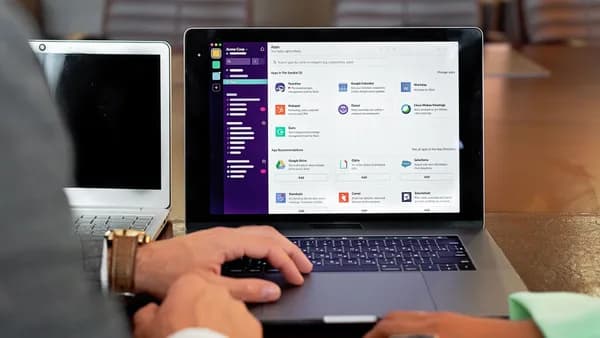
Remote sellers need more than clean transcripts. The best AI meeting assistants sales teams use in 2026 help capture customer objections, identify buying signals, summarize calls, push notes into Salesforce or HubSpot, and speed up follow-up after every discovery call, demo, and pipeline review.
XOOMAR Intelligence
Analyst Take
This roundup compares the tools named in the research data through a sales lens: CRM sync, call coaching, deal intelligence, follow-up automation, pricing, and fit by team size. Where published sources differ on pricing or plan details, the article calls that out rather than assuming one number is universal.
What Sales Teams Need From an AI Meeting Assistant
For remote sales teams, an AI meeting assistant is not just a transcription tool. It should turn live customer conversations into structured sales activity.
The monday.com research defines an AI meeting assistant for sales as software that joins sales calls, records conversations, transcribes dialogue in real time, and extracts actionable insights such as buying signals, objections, competitor mentions, commitments, and next steps. It then syncs that information to the CRM so reps do not have to manually re-enter what happened after the call.
The core sales value is not “notes.” It is making sure every customer commitment, objection, and next step becomes usable pipeline data.
Remote sales teams typically need four practical outcomes:
- Accurate call capture: Record and transcribe discovery calls, demos, follow-ups, handoffs, and pipeline meetings with speaker identification.
- Structured sales summaries: Extract pain points, objections, prospect questions, decisions, and action items.
- CRM hygiene: Push meeting summaries, fields, tasks, and activity history into tools such as Salesforce, HubSpot, Pipedrive, Zoho, or other CRMs where supported.
- Faster follow-up: Generate recap emails, action-item lists, and next-step messages within minutes of the meeting ending.
The commercial decision comes down to how much sales intelligence you need. Some teams only need a lightweight notetaker. Others need a revenue intelligence platform with coaching scorecards, deal risk alerts, talk-time analytics, objection tracking, and forecasting signals.
Lightweight notetaker vs. revenue intelligence platform
| Team Need | Better Fit | Examples From Source Data |
|---|---|---|
| Solo rep or founder needs free recording and summaries | Lightweight AI notetaker | Fathom, tl;dv, Grain free tiers |
| Sales team needs CRM sync and follow-up automation | Sales-focused meeting assistant | Avoma, Fireflies.ai, WINN AI, MeetGeek |
| Managers need coaching, scorecards, and call libraries | Conversation intelligence | Avoma, Gong, Chorus.ai, Grain |
| Revenue leaders need deal risk and pipeline intelligence | Revenue intelligence platform | Gong, Chorus.ai, Avoma |
| High-volume teams need cross-call trend analysis | Multi-meeting intelligence | tl;dv, Fireflies.ai, Avoma |
The wrong category can be expensive. A founder-led startup running a few demos per week may not need an enterprise platform. A 50-rep team using structured discovery frameworks may quickly outgrow a simple meeting summarizer.
Key Evaluation Criteria: Accuracy, CRM Sync, Coaching, and Compliance
When comparing AI meeting assistants sales teams can actually deploy, focus on the features that affect selling time and pipeline quality.
1. Transcription accuracy and sales-context capture
The research data consistently emphasizes real-time transcription, speaker identification, searchable transcripts, and structured summaries. monday.com highlights three technical capabilities that matter during live sales calls:
- Live transcription: Converts spoken words into written text in real time.
- Speaker identification: Separates statements by rep, prospect, and other participants.
- Structured summary generation: Organizes discussion points, decisions, questions, next steps, and action items.
Some tools also go beyond raw transcripts. Avoma can analyze topic trends such as competitor mentions, objections, and feature requests. Fireflies.ai supports topic tracking for competitor mentions, pricing discussions, and objections. tl;dv can synthesize patterns across 10, 50, or 100+ calls, according to the DecideNavigator data.
2. CRM sync quality
CRM sync is one of the most important differentiators for sales teams. The key question is not just “Does it integrate?” but “What does it write back?”
| Tool | Salesforce | HubSpot | Pipedrive | Auto-Log | Custom Fields |
|---|---|---|---|---|---|
| Avoma | ✅ | ✅ | ❌ | ✅ | ✅ |
| Fireflies.ai | ✅ | ✅ | ✅ | ✅ | ✅ |
| Fathom | ✅ | ✅ | ❌ | ✅ | ❌ |
| Read AI | ✅ | ✅ | ❌ | ✅ | ❌ |
| tl;dv | ✅ | ✅ | ❌ | ✅ | ✅ |
| Grain | ✅ | ✅ | ❌ | ✅ | ❌ |
Source data also notes that WINN AI supports one-click data sharing and sync with HubSpot and Salesforce, while Avoma integrates with CRMs including Zoho, Pipedrive, HubSpot, and Salesforce in the Applied AI Tools data.
3. Coaching and conversation intelligence
Sales managers need evidence from real conversations, not rep memory. Useful coaching features include:
- Scorecards: Structured review against discovery or qualification criteria.
- Talk-to-listen ratio: Measures whether reps are dominating the call.
- Question rate: Tracks how much discovery the rep is doing.
- Monologue alerts: Flags long rep monologues.
- Call libraries: Lets teams save best-practice examples.
- Highlight clips: Makes moments easy to share for coaching or proposals.
Avoma includes AI scorecards, talk-to-listen ratio, question rate, monologue alerts, and manager coaching workflows in DecideNavigator’s data. Gong and Chorus.ai are described by Listicler as deeper conversation intelligence platforms with scorecards, call libraries, deal risk signals, and coaching workflows.
4. Compliance, consent, and recording controls
The provided research focuses more on sales functionality than on legal or security specifications. However, because these tools record and transcribe sales calls, buyers should evaluate consent and compliance before rollout.
At the time of writing, the source data confirms that AI meeting assistants record calls, transcribe conversations, identify speakers, and store searchable meeting libraries. It does not provide detailed retention, encryption, regional data residency, or call-consent settings for most tools.
Before deploying any meeting recorder, confirm how the tool handles participant consent, recording notices, transcript retention, CRM data access, and internal approval requirements.
Best AI Meeting Assistants for Remote Sales Teams
Below are the strongest options from the research data, grouped by sales use case rather than general popularity.
1. Avoma — Best all-in-one sales meeting assistant
Avoma is positioned in multiple sources as a strong all-in-one option for revenue teams that want meeting transcription, CRM sync, coaching, and deal intelligence in one platform.
Applied AI Tools describes Avoma as an AI meeting assistant that records, transcribes, summarizes, and analyzes sales meetings at scale. It can surface trends in competitor mentions, objections, and feature requests, then help managers improve the sales playbook.
Key sales features include:
- Topic Trends & Talk Pattern Insights: Tracks competitor mentions, objections, and feature requests.
- Curated Playlists: Lets teams create coaching playlists from top-performer moments.
- Recording Snippets: Shares key prospect moments with internal teams.
- AI Summarized Notes: Extracts next steps, pain points, and objections.
- Augmented Notes: Supports structured notes for custom categories.
- AI-powered email generator: Creates follow-up emails quickly.
Avoma’s integrations include Google Calendar, Outlook, Exchange, Google Meet, Zoom, Microsoft Teams, GoToMeeting, dialers such as Zoom Phone, Salesloft, Aircall, RingCentral, Outreach, and CRMs including Zoho, Pipedrive, HubSpot, and Salesforce.
Pricing differs by source. Applied AI Tools lists Avoma paid plans starting at $29/user/month with a 14-day free trial and up to 30% off annual billing. DecideNavigator lists sales pricing tiers at Starter $19/month, Plus $49/month, Business $79/month, and custom Enterprise pricing.
Best fit: Sales teams that want coaching, CRM sync, and conversation intelligence without stitching together multiple tools.
2. Fireflies.ai — Best for broad integrations and conversation search
Fireflies.ai is highlighted by DecideNavigator as the best fit for sales teams with a large tech stack. The source lists 70+ app connections, strong conversation search, and CRM coverage across Salesforce, HubSpot, Pipedrive, Zoho, and Freshsales.
Sales capabilities include:
- CRM sync: Auto-logs call notes and custom fields to deal records.
- Coaching signals: Sentiment analysis, talk-time tracking, question detection, and keyword/topic alerts.
- Deal intelligence: Smart Search across meetings and topic tracking for competitor mentions, pricing discussions, and objections.
- Follow-up automation: AI-generated action items and summary emails.
- Task routing: Integrations with Slack, Asana, and Notion.
Pricing differs across sources. DecideNavigator lists a free tier, Pro $18/seat/month, Business $29/seat/month, and Enterprise $39/seat/month. Listicler’s available excerpt lists Free 800 min/month, Pro from $10/user/month, and Business from $19/user/month.
Best fit: Sales teams that need call intelligence to flow across many tools, especially teams using CRMs beyond only Salesforce and HubSpot.
3. Fathom — Best free option for solo reps and small teams
Fathom appears repeatedly as a strong free or low-cost option for sales reps who need fast call notes without a full revenue intelligence platform.
DecideNavigator describes Fathom as useful for individual reps and small teams because it offers unlimited free recording for individuals, real-time call highlights, and one-click CRM sync on paid plans. Listicler calls Fathom the best free AI meeting assistant for sales teams, noting unlimited recordings, unlimited transcription, unlimited storage, and AI-generated summaries on the free plan, while also noting 5 free AI summaries/month in the pros section.
Sales-specific features include:
- Meeting templates: Listicler notes 15+ meeting templates, including discovery calls, demos, follow-ups, and check-ins.
- Fast summaries: Listicler reports AI summaries delivered within 30 seconds of the meeting ending.
- CRM sync: Salesforce and HubSpot native sync on paid tiers.
- Action items: Extracts action items and meeting summaries for CRM updates.
- Follow-up emails: DecideNavigator notes one-click follow-up email generation from summaries.
Pricing varies in the data. DecideNavigator lists free unlimited recording for individuals, Team plans from $32/seat/month, and $39/seat/month for CRM sync. Listicler lists Premium from $15/month annual and Team from $19/month annual.
Best fit: Solo sellers, founders, SDRs, and early-stage teams that want strong notes and summaries before investing in team-wide analytics.
4. tl;dv — Best for high-volume call pattern analysis
tl;dv is called out for multi-meeting intelligence. DecideNavigator says it can generate reports that synthesize patterns across 10, 50, or 100+ calls, making it useful for high-volume sales teams.
Sales capabilities include:
- CRM sync: Salesforce and HubSpot integration with automatic field population and deal activity logging.
- Coaching: Speaker analytics, objection tracking, and AI-generated coaching insights from call patterns.
- Deal intelligence: Multi-meeting AI reports for pipeline reviews.
- Follow-up automation: Auto-generated follow-up emails.
- Workflow automation: Integration with 6,000+ apps through a native Zapier connector.
DecideNavigator lists Free unlimited recording, Pro $25/seat/month, Business $59/seat/month, and custom Enterprise pricing.
Best fit: Teams running many calls per week that need to identify patterns across conversations, not just summarize one call at a time.
5. Grain — Best for shareable call highlights
Grain is strongest where call clips and highlight reels are part of the sales motion. DecideNavigator describes it as best-in-class for video highlight sharing, with shareable clips, reels, and story-based call libraries.
Sales capabilities include:
- CRM sync: Salesforce and HubSpot sync with automatic call logging.
- Highlight attachments: Adds highlights to deal records.
- Coaching: Highlight reels, shared clip libraries, and team-level analytics.
- Deal review: Shared call libraries with tagging and team-wide search.
- Follow-up: Clips and reels can be shared with prospects after meetings.
DecideNavigator lists a free tier with 20 meetings/month, Business $19/seat/month, and custom Enterprise pricing.
Best fit: Sales teams that use customer quotes, demo clips, or meeting highlights in follow-ups, proposals, and internal deal reviews.
6. Read AI — Best for cross-channel visibility
Read AI is positioned as a cross-channel copilot rather than a meeting-only recorder. DecideNavigator says it analyzes meetings, emails, and messages in a unified dashboard.
Sales capabilities include:
- CRM sync: Salesforce and HubSpot integration for pushing meeting intelligence to deal records.
- Coaching: Engagement scoring, attention tracking, and sentiment analysis.
- Deal intelligence: Cross-meeting analytics showing engagement trends, topic frequency, and relationship health.
- Follow-up automation: Contextual follow-ups based on meeting content and prior email/chat threads.
Pricing listed by DecideNavigator: free tier with 10 meetings/month, Pro $19.75/month, and Enterprise $29.75/month.
Best fit: Managers who need visibility into buyer engagement across meetings, email, and chat—not just recorded calls.
7. Gong — Best enterprise revenue intelligence platform
Gong is described by Listicler as the gold standard for sales teams that have outgrown notetakers and need a true revenue intelligence platform. It analyzes customer interactions across calls, emails, meetings, and deals to surface patterns tied to won and lost opportunities.
Sales capabilities include:
- Deal risk signals: Flags issues such as single-threaded deals, deal-stage stalls, and ghosting.
- Coaching workflows: Scorecards, call libraries, and timestamped feedback.
- Conversation analytics: Tracks competitor mentions and objection patterns across the pipeline.
- Forecasting: Combines conversation data with CRM signals.
- Integrations: Salesforce, HubSpot, Outreach, Salesloft, and Slack.
Listicler reports pricing as custom only, typically $1,600+ per user per year with a platform fee, and notes that total cost can include $1,200–$1,600 per user per year plus a $5,000–$50,000+ platform fee. It also states there is no free tier or public pricing.
Best fit: Mid-market and enterprise teams, especially 50+ reps, where coaching, forecasting, and deal risk intelligence are revenue-critical.
8. Chorus.ai — Best for teams already using ZoomInfo
Chorus.ai, by ZoomInfo, is described by Listicler as Gong’s closest competitor and a natural fit for sales teams already invested in the ZoomInfo ecosystem.
Sales capabilities include:
- Conversation intelligence: Call recording, transcription, and deal risk signals.
- Coaching dashboards: Talk-to-listen ratios, longest monologue, and question rates.
- Scorecards and call libraries: Supports structured coaching workflows.
- Momentum scoring: Helps with deal review and account intelligence.
- ZoomInfo integration: Enriches account context for teams already using that stack.
Pricing is listed as custom and enterprise-tier. Listicler notes that pricing is broadly similar to Gong and may involve a longer procurement cycle.
Best fit: Mid-market and enterprise sales organizations already standardized on ZoomInfo.
Additional sales-focused options from the research
Applied AI Tools includes several more AI meeting assistants relevant to sales and business development:
| Tool | Sales Coaching / Playbooks | Conversation Intelligence | CRM Integration | Notable Feature From Source Data | Starting Price From Source Data |
|---|---|---|---|---|---|
| WINN AI | ✅ | ✅ | ✅ | Real-time playbook tracking, cue cards, one-click Salesforce/HubSpot updates | $69/seat/month |
| GoodMeetings | ✅ | ✅ | ✅ | Battlecards and live shadowing by human | Contact sales |
| Nyota AI | ✅ | ✅ | ✅ | Agenda creation and meeting planning | $12/month |
| Laxis | ❌ | ✅ | ✅ | AI phone dialer | $15.99/month |
| Colibri | ✅ | ✅ | ✅ | Live cue cards | $60/user/month |
| MeetGeek | ✅ | ✅ | ✅ | Chrome extension, Android app, iOS app, and web app | $19/user/month |
| Claap | ✅ | ✅ | ✅ | Free sales AI tools such as quote extractor, customer story writer, and BANT scorer | €30/license/month |
| Briefly AI | ❌ | ✅ | ✅ | Briefly Create for customer feedback, strategies, and templates | $15/month |
Best Tools for Salesforce and HubSpot Workflows
If your CRM is the center of your sales process, start with integration depth.
Best Salesforce and HubSpot choices
| Use Case | Recommended Tools From Source Data | Why |
|---|---|---|
| All-in-one sales intelligence | Avoma | Salesforce and HubSpot sync, deal fields, activity logging, coaching, and deal intelligence |
| Large tech stack | Fireflies.ai | Salesforce, HubSpot, Pipedrive, Zoho, Freshsales, and broad app integrations |
| Free individual workflow | Fathom | Salesforce and HubSpot sync on paid plans, strong free recording |
| Multi-call reporting | tl;dv | Salesforce and HubSpot field population and activity logging |
| Clip-based selling | Grain | Salesforce and HubSpot sync with highlight attachment |
| Real-time playbook compliance | WINN AI | One-click Salesforce and HubSpot updates |
| Enterprise revenue intelligence | Gong, Chorus.ai | Deep coaching, deal risk, and pipeline intelligence for larger sales orgs |
For Pipedrive, DecideNavigator’s CRM sync comparison lists Fireflies.ai as the only one among Avoma, Fireflies, Fathom, Read AI, tl;dv, and Grain with native Pipedrive support. Applied AI Tools also lists Pipedrive among Avoma’s CRM integrations, so buyers should verify the current integration behavior directly before procurement.
For Zoho and Freshsales, DecideNavigator points to Fireflies.ai as the strongest option, while Applied AI Tools also lists Zoho among Avoma’s CRM integrations.
Best Options for Call Summaries and Follow-Up Emails
Follow-up speed matters because prospects often ask for pricing, references, implementation details, or next-step scheduling during the call. The research data consistently shows that AI meeting assistants reduce the manual work involved in writing summaries and recaps.
Best follow-up tools by workflow
| Workflow | Best-Fit Tools | Source-Grounded Reason |
|---|---|---|
| Fast free summaries | Fathom | AI summaries, action items, and sales-specific templates |
| One-click follow-up emails | WINN AI, Fathom, Avoma | Sources mention AI-generated or one-click follow-up emails |
| Prospect-facing clips | Grain | Shareable highlight reels and clips can be sent after meetings |
| High-volume recap patterns | tl;dv | Multi-meeting reports and auto-generated follow-up emails |
| Cross-channel context | Read AI | Generates follow-ups using meeting plus prior email/chat context |
| Autonomous follow-up outside meeting notes | Carly | Replies to buyers, books meetings, enriches leads, and updates CRM |
Carly is not positioned in the source data as a classic AI meeting recorder, but it is relevant to sales follow-up. The UseCarly research describes Carly as an AI agent platform where each agent has its own email address. A sales agent can be copied on a prospect thread, reply to the buyer directly, book the meeting, enrich the lead, and update CRM records across 200+ integrations, including HubSpot, Salesforce, Pipedrive, and Close. Pricing is listed as starting at $35/month.
That makes Carly more of a sales workflow automation layer than a meeting assistant. It may complement meeting tools for teams whose biggest gap is follow-up execution rather than call capture.
Pricing Models and Hidden Costs to Watch
Pricing varies widely because this category spans free notetakers, team collaboration tools, sales-specific assistants, and enterprise revenue intelligence platforms.
Published pricing from the research data
| Tool | Free Plan / Trial | Paid Pricing Listed in Source Data | Notes |
|---|---|---|---|
| Avoma | 14-day free trial | $29/user/month in Applied AI Tools; $19, $49, $79/month tiers in DecideNavigator | Annual discount up to 30% in Applied AI Tools |
| WINN AI | 14-day free trial | $69/seat/month, billed annually | No discount listed |
| GoodMeetings | 14-day free trial | Contact sales | Annual billing discount available |
| Nyota AI | 7-day free trial | $12/month | Annual and volume discounts |
| Laxis | Free transcription up to 300 minutes/month | $15.99/month | 16.7% annual discount |
| Colibri | Up to 5 hours/month transcription; 30-day free trial for paid plans | $60/user/month | 15% annual discount |
| MeetGeek | Up to 5 hours/month transcription | $19/user/month | Up to 26% annual discount |
| Claap | Up to 10 uploaded videos and 300 recorded meeting minutes | €30/license/month | Annual discount available |
| Briefly AI | Up to 5 AI summaries | $15/month | No discount listed |
| Fireflies.ai | Free tier; Listicler excerpt says 800 min/month | $10–$18/user/month Pro and $19–$29/user/month Business, depending on source | Verify current plan details |
| Fathom | Free plan available | $15/month Premium in Listicler; $32–$39/seat/month Team/CRM sync in DecideNavigator | CRM sync may require paid tier |
| Read AI | 10 meetings/month | $19.75/month Pro, $29.75/month Enterprise | Cross-channel analytics |
| tl;dv | Free unlimited recording | $25/seat/month Pro, $59/seat/month Business | Enterprise custom |
| Grain | 20 meetings/month | $19/seat/month Business | Enterprise custom |
| Gong | No free tier/public pricing | Typically $1,600+ per user/year plus platform fee; also listed as $1,200–$1,600 per user/year plus $5,000–$50,000+ platform fee | Enterprise procurement |
| Chorus.ai | Not specified | Custom | Enterprise-tier pricing |
Hidden cost categories
- CRM Sync Gating: Some tools offer free recording but require paid plans for CRM sync, collaboration, or advanced summaries.
- Annual Billing: Several prices or discounts depend on annual billing.
- Platform Fees: Enterprise revenue intelligence tools such as Gong may include platform fees in addition to per-user pricing.
- Implementation Effort: Listicler notes that Gong setup and adoption may require dedicated RevOps support for smaller teams to get full value.
- Overbuying Risk: A small team may not need deal boards, forecasting, and enterprise scorecards.
- Underbuying Risk: A 50-rep team may quickly outgrow a free notetaker if managers need coaching workflows and pipeline analytics.
Security, Consent, and Call Recording Considerations
Because AI meeting assistants record and process customer conversations, sales leaders should review privacy, consent, and internal data policies before rollout.
The source data confirms that these platforms can record calls, transcribe conversations, store searchable meeting libraries, identify speakers, sync meeting data into CRM systems, and generate summaries or follow-up emails. However, the provided research does not give detailed security specifications for each product.
Use this checklist during vendor evaluation:
- Recording Consent: Confirm how the tool notifies participants that a meeting is being recorded or transcribed.
- Data Retention: Ask how long recordings, transcripts, clips, and summaries are stored.
- CRM Permissions: Review what fields the assistant can read and write in Salesforce, HubSpot, or another CRM.
- Internal Access: Decide who can view call recordings, transcripts, playlists, snippets, and highlight reels.
- External Sharing: For tools such as Grain that support shareable clips, define rules for sending customer call highlights.
- Compliance Review: Involve legal, security, and RevOps teams before deploying across a sales organization.
If a tool will automatically write customer statements, objections, and commitments into CRM records, treat it as part of your revenue data infrastructure—not just a note-taking app.
How to Choose the Right AI Meeting Assistant for Your Sales Process
The best choice depends on your sales motion, team size, CRM, and coaching needs.
Step 1: Match the tool to team size
| Team Type | Best Starting Point |
|---|---|
| Solo rep or founder | Fathom for free recording and summaries |
| Small team under 10 reps | Fathom, Grain, or tl;dv depending on summaries, clips, or multi-call analysis |
| Growing team using Salesforce/HubSpot | Avoma, Fireflies.ai, WINN AI, or tl;dv |
| High-volume outbound team | tl;dv or Fireflies.ai |
| Mid-market or enterprise revenue team | Gong, Chorus.ai, or Avoma |
Step 2: Prioritize your CRM
If every deal lives in Salesforce or HubSpot, most tools in the research data can support you. If your team uses Pipedrive, Zoho, Freshsales, Close, or a broader stack, verify native sync carefully.
Fireflies.ai stands out in DecideNavigator’s data for Salesforce, HubSpot, Pipedrive, Zoho, and Freshsales coverage. Carly also lists integrations with HubSpot, Salesforce, Pipedrive, and Close for follow-up and CRM automation.
Step 3: Decide whether you need coaching
If you only need transcripts and summaries, a lightweight tool may be enough. If you manage reps, coaching features matter more.
- Structured scorecards: Consider Avoma, Gong, or Chorus.ai.
- Engagement analytics: Consider Read AI.
- Highlight-based coaching: Consider Grain.
- Real-time playbook tracking: Consider WINN AI.
- Cross-call trend analysis: Consider tl;dv or Fireflies.ai.
Step 4: Look at follow-up speed
If reps regularly delay recap emails or skip CRM updates, choose a tool with strong follow-up automation.
Strong source-backed options include:
- Avoma: AI-powered email generator.
- WINN AI: One-click customized follow-up emails.
- Fathom: One-click follow-up email generation from summaries.
- tl;dv: Auto-generated follow-up emails.
- Read AI: Contextual follow-ups based on meetings and prior email/chat threads.
- Carly: Sends replies, books meetings, and updates CRM records as an AI sales agent.
Step 5: Avoid paying for unused intelligence
A free or low-cost notetaker can be enough when the sales process is simple. Enterprise platforms make more sense when coaching, forecasting, deal risk, and pipeline inspection directly affect revenue decisions.
For most teams, the practical path is to start with the minimum tool that fixes the current bottleneck, then upgrade when managers need more visibility.
Bottom Line
The best AI meeting assistants sales teams should be chosen by sales workflow, not by feature count.
For an all-in-one sales meeting assistant, Avoma is one of the strongest options in the source data because it combines transcription, CRM sync, coaching, deal intelligence, and follow-up generation. For broad integrations and conversation search, Fireflies.ai stands out. For solo reps and early-stage teams, Fathom offers the most compelling free starting point in the research.
High-volume teams should consider tl;dv for multi-meeting analysis, while teams that sell with customer clips and internal highlights should evaluate Grain. Larger sales organizations that need enterprise-grade coaching, forecasting, and deal risk intelligence should compare Gong and Chorus.ai, especially if they already have the budget and RevOps support to implement them well.
FAQ
What is the best AI meeting assistant for sales teams?
Based on the research data, Avoma is a strong all-in-one choice for sales teams that need CRM sync, call coaching, deal intelligence, and follow-up automation in one platform. However, the best fit depends on team size, CRM, and whether you need basic notes or revenue intelligence.
What is the best free AI meeting assistant for sales reps?
Fathom is repeatedly highlighted as the best free option for individual reps and small teams. Source data describes it as offering unlimited recording and transcription on its free plan, with paid options for CRM sync and team features.
Which AI meeting assistants work with Salesforce and HubSpot?
The research data lists Salesforce and HubSpot support for Avoma, Fireflies.ai, Fathom, Read AI, tl;dv, Grain, WINN AI, Gong, and Chorus.ai. CRM depth varies, so buyers should verify whether the tool supports auto-logging, custom fields, deal activity, and bidirectional sync.
Which AI meeting assistant is best for call coaching?
For structured coaching, the source data points to Avoma, Gong, and Chorus.ai. Avoma includes AI scorecards, talk-to-listen ratio, question rate, and monologue alerts. Gong and Chorus.ai are positioned as enterprise conversation intelligence platforms with scorecards, call libraries, and manager workflows.
Which tool is best for follow-up emails after sales calls?
Source-backed options include Avoma, WINN AI, Fathom, tl;dv, and Read AI, all of which are described as supporting AI-generated or automated follow-ups. Carly is also relevant for teams that want an AI sales agent to reply to buyers, schedule meetings, and update CRM records.
Do AI meeting assistants replace CRM updates?
They can reduce manual CRM work, but the level of automation depends on the tool and plan. monday.com’s research explains that AI meeting assistants can extract structured data from conversations and write it into CRM fields, while specific tools such as Avoma, Fireflies.ai, Fathom, tl;dv, Grain, and WINN AI offer CRM sync features in the source data.
Sources & References
Content sourced and verified on June 9, 2026
- 19 best AI meeting assistants for sales teams [AI sales assistants] - Applied AI Tools
https://appliedai.tools/tools-list/best-ai-meeting-assistants-for-sales-teams-ai-sales-assistants/
- 2Best AI Meeting Assistants for Sales Teams (2026)
https://decidenavigator.com/use-cases/best-ai-meeting-assistants-for-sales
- 3Best AI Meeting Assistants for Sales Teams (2026) | Listicler
https://listicler.com/best/best-ai-meeting-assistants-sales-teams
- 49 Best AI Assistants for Sales Teams in 2026
https://www.usecarly.com/blog/best-ai-assistant-for-sales-teams/
- 5AI meeting assistant: 7 ways for sales teams to close more deals
https://monday.com/blog/crm-and-sales/ai-meeting-assistant/
- 6The 12 Best AI Meeting Assistants for Microsoft Teams in 2026
https://fellow.ai/blog/ai-meeting-notetakers-for-microsoft-teams/

Written by
XOOMAR Insights Team
Research and Editorial Desk
The XOOMAR Insights Team pairs automated research with human editorial judgment. We track hundreds of sources across technology, fintech, trading, SaaS, and cybersecurity, cross-check the facts, and explain what happened, why it matters, and what to watch next. We do not just rewrite headlines. Every article is fact-checked and scored for reliability before it goes live, and we link back to the original sources so you can verify anything yourself.