
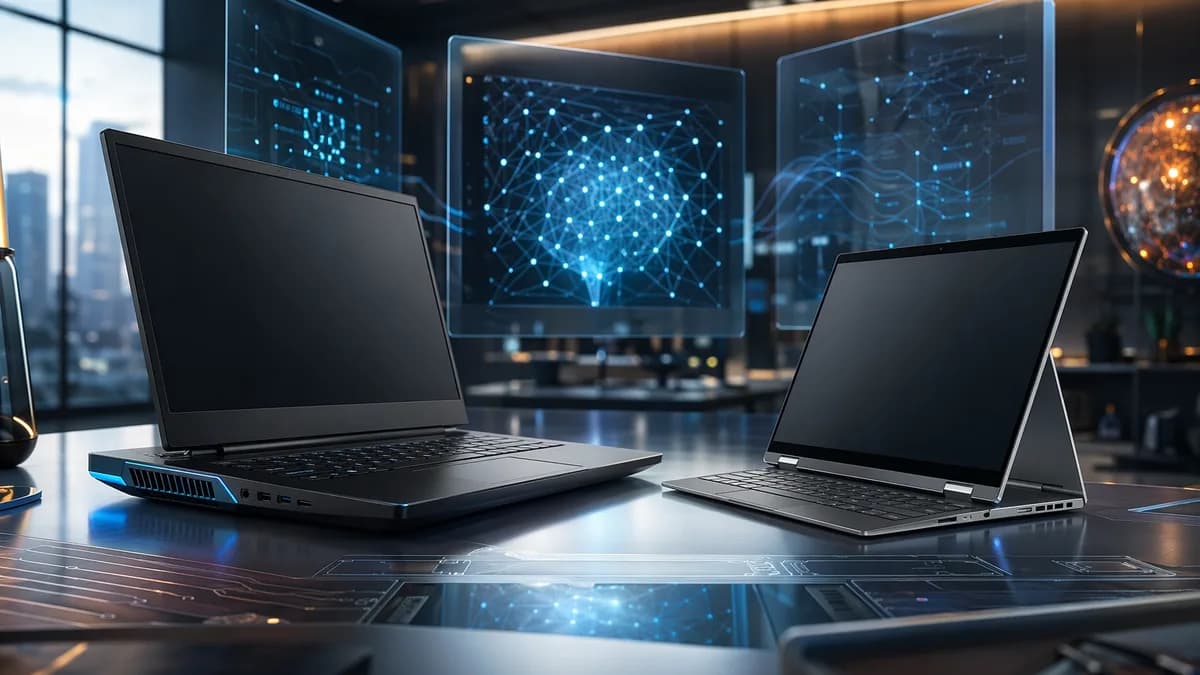
Brand loyalty is the least useful way to buy a Windows laptop. The sharper read is this: Dell is the safer bet when you want premium hardware that should age well, while HP is the smarter hunting ground when price, portability, or a polished 2-in-1 matters more.
TechnologyJune 12, 2026· 7 min read· By XOOMAR Insights Team
$300 HP Laptops Expose The Real Dell Vs HP Buying Gamble
Updated on June 14, 2026
XOOMAR Intelligence
Analyst Take
60/ 100
4 sources analyzedLow confidenceTrend10Freshness98Source Trust85Factual Grounding93Signal Cluster40
That’s the practical split after reading Cesar Cadenas’ comparison at ZDNet, which lands on a more nuanced verdict than the usual “which brand is better?” debate. Both companies make good laptops. The mistake is pretending they win for the same reasons.
Dell looks expensive until you price the machine you’ll still want later
The lazy assumption is that HP owns value and Dell owns luxury. The reality is messier. HP clearly wins at the low end, but Dell can look stronger once you compare machines with serious RAM, storage, displays, and performance headroom.
ZDNet’s example is blunt. A 16-inch Dell Plus at Best Buy had a 2K touchscreen, 32GB of RAM, and 1TB of storage for around $1,280. A similarly configured 16-inch HP OmniBook 5 cost $1,550 and came with 512GB of storage instead of 1TB.
That’s the kind of detail buyers miss when they shop by sticker price alone.
Here’s the split that matters:
| Buying priority | Better starting point | Reason from the source material |
|---|---|---|
| Lowest upfront price | HP | HP has Windows 11 laptops in the $300 to $500 range, and one 14-inch HP laptop was found at $220 on HP’s site |
| Long-term spec value | Dell | ZDNet cites Dell configurations with more RAM and storage for the money |
| 2-in-1 design | HP | HP convertibles are described as more refined, with better displays, keyboards, and batteries |
| Gaming thermals | Dell | Alienware’s cooling gives Dell the edge over HP Omen in ZDNet’s view |
| Travel battery life | HP | The OmniBook 5 from 2025 lasted over 24 hours on a single charge in ZDNet’s testing |
My read: Dell’s best pitch isn’t that it’s cheaper. It’s that you may need fewer compromises after the receipt stops hurting.
HP wins when the budget is real, not theoretical
There’s a difference between “good value” and “I need a laptop this week and I can’t spend flagship money.” HP is better at the second problem.
ZDNet points to a wider HP selection of budget-friendly machines, including Windows 11 laptops in the $300 to $500 band. It also notes HP discounts of 40, 50, or 60 percent are not uncommon. That matters for students, office workers, and home users who need a reliable machine for everyday work, not a mobile workstation pretending to be a status symbol.
This is where HP deserves more respect. Budget HP laptops aren’t framed as powerhouses in the source, and buyers shouldn’t pretend they are. But the presence of decent low-cost options is a real advantage. Not everyone needs a high-end panel, dedicated GPU, or oversized RAM configuration.
HP also owns the stronger argument in convertibles. The old HP Spectre x360 is no longer available, according to ZDNet, but its influence shows up in newer systems like the HP OmniBook X Flip 16, which keeps the sleek design and vibrant display appeal. That matters because bad 2-in-1s feel like laptops with an identity crisis. HP’s better ones feel intentional.
Dell’s premium case rests on performance discipline, not just looks
Dell’s strongest machines are aimed at people who know what their workload punishes. Creative work is the clearest example from the source.
The Dell XPS 16 is described as a strong fit for photo editing, video production, and design work because of its high-resolution displays and strong color accuracy. That is not a small advantage if your laptop is where billable creative work happens. A weak screen can waste time. A stronger screen reduces second-guessing.
Dell’s workstation argument is also sharper in the supplied material. ZDNet names the Dell Pro Max Plus 16 as a system built for heavy workloads such as 3D modeling and engineering applications. It also contrasts some HP workstation configurations that may offer storage, a strong display, and 32GB of RAM, but rely on an integrated GPU instead of a dedicated option like the Nvidia RTX Pro 1000.
That doesn’t make every Dell configuration smart. It means Dell gives performance-focused buyers more obvious lanes. If you already know you need GPU horsepower, memory headroom, and a display tuned for serious work, Dell is easier to recommend.
A related XOOMAR point: don’t confuse laptop power with workflow maturity. If your machine is for AI or data-heavy work, hardware is only one layer. We’ve made the same argument in Feature Store Tools Can Make or Break Your ML Stack, and the risk of over-trusting software systems shows up again in AI Memory Can Make Chatbots Confidently Wrong at Work. Buy the right laptop, but don’t expect specs to fix bad process.
Gamers should ignore the logo and stare at the cooling system
Gaming laptops punish vague brand opinions. The real questions are thermals, GPU behavior, keyboard feel, display quality, fan noise, and whether the machine can sustain performance after the first benchmark run.
ZDNet gives Dell Alienware the edge over HP Omen, even though the two lines are described as roughly equal on internal hardware, with modern processors and graphics cards. The difference is cooling.
The standout example is the Alienware 18 Area-51, which uses a Cryo-Chamber with four fans, seven copper heat pipes, and six vents. ZDNet says the laptop never ran warm even with games running at max graphics.
“As I have said many times before, heat is a computer killer.”
That line is the whole gaming-laptop debate in six words.
HP Omen may still make sense when the sale price is strong, and the source material does not say Omen is weak. But if the hardware looks comparable, I’d pay more attention to sustained heat control than RGB, chassis attitude, or brand mythology. Alienware’s advantage, as presented here, is engineering under pressure.
HP’s strongest counterpunch is portability
The best argument against choosing Dell first is simple: HP is better when the laptop has to move.
ZDNet names two HP machines that make the point. The OmniBook 7 Aero measures 13.3 inches diagonally and weighs slightly over two pounds. It uses a recycled magnesium-aluminum alloy, which ZDNet frames as both durable and nearly weightless.
Then there’s the OmniBook 5 from 2025, a 14-inch laptop weighing just under three pounds that lasted over 24 hours on a single charge. That’s not a minor spec. For travelers, students, and anyone who lives between outlets, battery life can beat raw performance.
This is where HP can beat Dell at Dell’s own “premium experience” pitch. A laptop that’s lighter, lasts longer, and costs less can feel more premium in actual use than a more powerful machine that stays near a desk.
The counterargument is strong. It just doesn’t overturn the broader rule. HP is the better portability and affordability play. Dell is the better bet when performance headroom and component value matter more.
The buying rule is simple: match the laptop to the job, not the badge
Here’s the advice I’d give before anyone clicks buy:
- Choose Dell XPS 16 if your priority is creative work, display quality, and performance for photo, video, or design tasks.
- Choose Dell Pro Max Plus 16 if you need a mobile workstation for workloads like 3D modeling or engineering applications.
- Choose Alienware if gaming performance and cooling matter more than price or portability.
- Choose HP OmniBook X Flip 16 if you want a refined 2-in-1 with the design DNA of the old Spectre x360.
- Choose HP budget laptops if the goal is everyday work at the lowest practical price.
- Choose HP OmniBook 7 Aero or OmniBook 5 if weight and battery life sit at the top of your list.
The next test for both brands is whether they keep these identities clear. Dell should keep proving that higher prices buy meaningful headroom, not just prettier shells. HP should keep pushing value without letting low-cost machines feel disposable.
Dell is the brand to trust when you want fewer compromises. HP is the brand to hunt when you want the better deal. The winner is the one that fits the work you actually do.
Key Takeaways
- Laptop buyers should compare specs and use cases instead of relying on brand loyalty.
- HP may be the better fit for budget shoppers, travelers, and 2-in-1 users.
- Dell can offer stronger long-term value when premium specs and performance headroom matter.
Dell vs. HP Laptop Buying Priorities
| Buying priority | Better starting point | Reason |
|---|---|---|
| Lowest upfront price | HP | HP offers Windows 11 laptops in the $300 to $500 range, including a 14-inch model found for $220. |
| Long-term spec value | Dell | ZDNet cites Dell configurations with more RAM and storage for the money. |
| 2-in-1 design | HP | HP convertibles are described as more refined, with better displays, keyboards, and batteries. |
| Gaming thermals | Dell | Alienware cooling gives Dell an edge over HP Omen in ZDNet’s view. |
| Travel battery life | HP | The 2025 HP OmniBook 5 lasted over 24 hours on a single charge. |
Price Comparison: Similar 16-Inch Configurations
Dell Plus 16-inch
$1,280
HP OmniBook 5 16-inch
$1,550
Sources

Written by
XOOMAR Insights Team
Research and Editorial Desk
The XOOMAR Insights Team pairs automated research with human editorial judgment. We track hundreds of sources across technology, fintech, trading, SaaS, and cybersecurity, cross-check the facts, and explain what happened, why it matters, and what to watch next. We do not just rewrite headlines. Every article is fact-checked and scored for reliability before it goes live, and we link back to the original sources so you can verify anything yourself.
Explore More Topics
Related Articles
 Technology
McAfee Ads Die as Microsoft Pressures LG on Windows 11
Microsoft got LG to disable McAfee pop-ups after monitor connections triggered unwanted ads on Windows 11, turning bloat into a trust issue.
Jul 25, 20267 min
 Technology
LG Monitor McAfee Pop-Ups Drag Windows Update into Fight
LG monitor software used Windows Update to show McAfee trial ads, turning a driver convenience into a trust problem for Microsoft.
Jul 24, 20268 min
 Technology
Holdouts Win Control in Microsoft's Windows 11 Update
Windows 11 Home users can now keep pausing updates in 35-day chunks, giving PC owners more control over risky patches.
Jul 19, 20268 min
 Global Trends
Logo Revolt Haunts Cracker Barrel CEO Masino's Exit
Julie Masino is leaving after Cracker Barrel's logo revolt became a culture-war test. David Deno inherits the bruised brand.
Jul 27, 20266 min
 Global Trends
53 Years Later, Chile Jails Víctor Jara Murder Fugitive
Chile jailed Nelson Haase Mazzei, the last fugitive in the Víctor Jara murder case, 53 years after the singer was killed.
Jul 27, 20268 min
 Technology
A $9 Autonomous Key Turns App Addiction Into Real Work
Autonomous Key uses a $9 NFC fob to make addictive apps harder to reopen, betting tiny friction can beat reflexive scrolling.
Jul 27, 20268 min
 Global Trends
Years on Run End As Police Catch Victor Jara Murder Fugitive
Nelson Haase, convicted in Victor Jara’s murder, was captured after fleeing a 25-year sentence in a landmark Pinochet-era case.
Jul 27, 20265 min
 Global Trends
Tariff Detours Crush the US Manufacturing Jobs Pitch
Tariffs haven't sparked a US factory jobs boom. Chinese inputs are taking longer routes, with higher costs and more automation.
Jul 27, 20268 min
 Technology
Samsung QD-OLED Monitor Crashes Below $300 in Rare Deal
Samsung’s 27-inch G50SF QD-OLED monitor fell to $299.99, pushing premium OLED gaming into midrange pricing.
Jul 27, 20266 min
 Global Trends
300,000 Flee as European Wildfire Maps Expose Risk
European wildfire maps show fires outrunning evacuations and response, with 300,000 people displaced across France and Spain.
Jul 27, 20268 min
Don't miss the signal
Get our weekly roundup of the stories that matter across tech, fintech, and trading. No noise, just signal.
Free forever. No spam. Unsubscribe anytime.