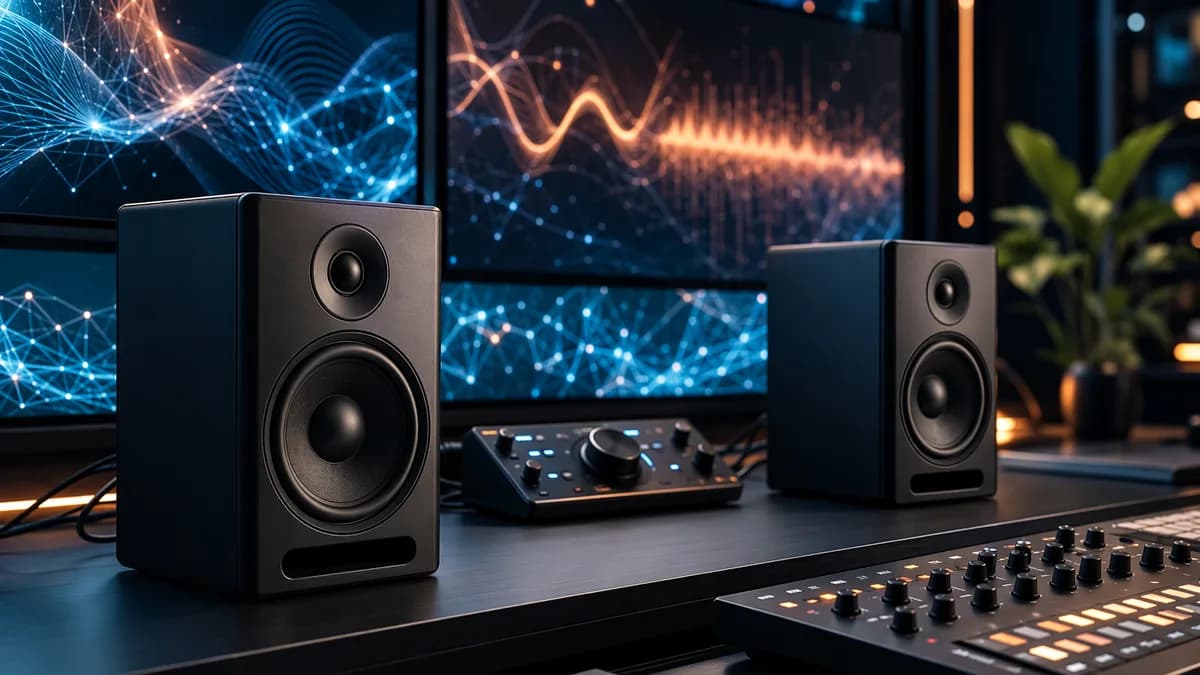
The Edifier MR5 make the strongest argument for affordable studio monitors when price, sound, inputs, and software all matter at once. For home creators and serious desk listeners, that combination matters more than one heroic spec.
XOOMAR Intelligence
Analyst Take
That’s the real lesson from the latest Tom's Guide review, which puts the $349 / £279 MR5 in a useful middle lane: more capable than basic desktop speakers, less costly than pricier alternatives, and flexible enough for people who move between making, editing, listening, and Bluetooth convenience.
“Short answer: worth it.”
That verdict lands because the MR5 don’t ask buyers to choose between useful connections, listenable sound, and software control. They bundle all three. Is that enough to make them the right buy for every desk? No. But it’s enough to make them one of the more convincing budget-friendly monitor buys in this bracket.
Edifier MR5 prove budget studio monitors don't have to sound cheap
The Edifier MR5 sit in the budget-slash-midrange zone, but the value case isn’t just that they cost less than several higher-end alternatives cited in the review. The value is that they behave like practical monitors for people who don’t have a perfect room, a single source, or a dedicated listening-only setup.
The spec sheet helps. You get Bluetooth, AUX, RCA, TRS, and XLR, a stated 46Hz to 40,000 frequency response, a front headphone output, and app-based adjustment through Edifier ConneX. You don’t get a subwoofer out. You also don’t get USB-C listening.
That tradeoff is honest. These aren’t luxury objects. Tom’s Guide calls them “somewhat ugly,” and the controls aren’t perfect. The high and low knobs sit on the back, which means basic tone tweaks can require reaching around the speaker. For a product aimed at desk use, that’s a real irritation.
Still, the MR5’s pitch is clear: if your speakers need to handle work and play without turning your desk into a cable nest, they make sense. What’s the point of a monitor that sounds good but fights your daily setup?
The MR5 sound lively without losing the detail studio users need
The most useful thing about the MR5 sound profile is that it doesn’t seem to confuse “monitor” with “lifeless.” Tom’s Guide found them accurate enough for studio-monitor expectations while still energetic enough for normal listening.
That balance showed up across the review tracks. On “Atomic” by Blondie, the reviewer described a wide soundscape, detailed guitars and synths, and Debbie Harry’s vocal as “clear, detailed, and sonorous.” On “The Nightlife” by Honey Dijon, the stereo imaging stood out, with the synth movement clearly tracked across the soundstage.
The caveat came with heavier rock. On “Citizen Erased” by Muse, percussion and cymbals came through well, but the sludgy guitar parts were not separated as cleanly as the reviewer wanted. That supports the review’s genre recommendation: these speakers are stronger for electronic, pop, and acoustic material than for messy guitar-heavy music.
Energy without fake drama
That matters for creators because sterile monitors can make work feel punishing. The MR5 appear to avoid that trap. They give enough detail to reveal placement, brightness, and separation, but they still sound enjoyable enough to use as main home speakers.
Would a more expensive monitor reveal more? Almost certainly. But the MR5’s achievement is that they don’t make the affordable choice feel joyless.
Five connection options make the Edifier MR5 unusually practical on a real desk
Connectivity is where the MR5 move from “good speaker” to “smart product.” Aux, RCA, TRS, XLR, and Bluetooth is a serious list for this price class, and it changes who can use them without workarounds.
A home producer can run balanced inputs from an interface. A casual listener can use Bluetooth. Someone with a simpler desktop setup can use Aux or RCA. That flexibility is not decorative. It means the MR5 can survive changes in a setup instead of being replaced the moment a user buys new gear.
| Need | MR5 answer | Limitation |
|---|---|---|
| Wired desktop listening | AUX and RCA | No USB-C listening |
| Interface or mixer use | TRS and XLR | Back-panel access still matters |
| Wireless convenience | Bluetooth | Wired remains the accuracy play |
| Headphone handoff | Front headphone output | Tone controls are on the rear |
| Bass expansion | Basic low-frequency response | No subwoofer out |
The missing USB-C listening stings because many modern desk setups have moved in that direction. The missing subwoofer out also narrows upgrade paths for listeners who want deeper low-end later.
But the broader point holds: budget speakers often save money by forcing compromises at the connection stage. The MR5 don’t. Isn’t that the part of the product people actually touch every day?
Edifier's app control gives the MR5 a real edge over basic desktop monitors
The Edifier ConneX app is not just a remote control wrapper. According to the review, it offers a 9-band EQ, Music and Monitor EQ modes, Acoustic Space room compensation, desktop placement settings, and cut-off frequency adjustment from 20Hz to 100Hz.
That matters because most home desks are bad audio environments. Speakers sit too close to walls. They share space with monitors, lamps, docks, and hard surfaces. Ideal placement is a fantasy for many buyers.
The app can’t turn a poor room into a treated room, but it gives users tools that are usually more approachable than manual studio calibration. Tom’s Guide found Acoustic Space made a difference to bass, while “Desktop control” was less obvious in use.
Software should reduce friction
There is one setup wrinkle: the reviewer had to update firmware after unboxing, and it took 10 minutes. That’s not a disaster, but it cuts against the instant-listen expectation.
Still, this is the right kind of app. It controls sound, placement, and profiles. It doesn’t appear to exist just to justify an app icon. For readers tracking product design beyond audio, XOOMAR’s pieces on Uber Product Strategy Bets on Hotels Without App Bloat, Rival Android App Stores Invade Google Play Next Week, the $499 Dyson Hot+Cool HF1, and the Shark ChillPill deal are useful companion reads on the same core tension: more options only help when they make the product easier to live with.
Can software be a real audio feature? On the MR5, yes, because room and desk realities are part of the listening chain.
The MR5 won't replace serious pro monitors in treated studios
The strongest counterargument is simple: studio monitors should be brutally revealing, and the MR5 are not presented as the final word in precision. Tom’s Guide says they’re “not quite as precise as pricier alternatives,” and the heavy-rock test exposed limits in instrument separation.
That’s a fair criticism. If you’re mixing in a treated room and need absolute translation across playback systems, you may want monitors with more neutrality, more low-end control, or sharper imaging precision.
The MR5 also have structural limits that matter to certain users:
- No subwoofer out: Expansion is less straightforward.
- No USB-C listening: A missed convenience for modern desktop setups.
- Rear tone controls: Annoying if you adjust bass and treble often.
- Large footprint: The review does not recommend them for small setups.
But judging the MR5 as if they were flagship reference monitors misses the product. They are affordable, powered, flexible near-desk speakers with enough monitor DNA to help creators work better. That’s a different target.
For home creators, the Edifier MR5 hit the sweet spot between fun and reliable
The MR5 make the most sense for content creators, music producers, home studio operators, multimedia users, and casual listeners who want cleaner sound than normal desktop speakers without building a complicated rig.
Their strength is versatility. They can handle analog listening, Bluetooth playback, basic monitoring, and app-based tuning without forcing constant hardware swaps. That’s where the product feels cohesive.
The better comparison may not be against one more expensive speaker. It’s against the messy desk reality many buyers already have: one speaker pair for music, another route for headphones, an interface when needed, Bluetooth when convenient, and tone controls that may or may not be usable. The MR5 reduce that mess.
Would I buy them only for casual background music? Probably not. Tom’s Guide points budget buyers toward cheaper Edifier options like the R1280T at $149 or the M60 at $199. But if you want a speaker that can grow into light production and more serious listening, the MR5’s extra cost has a purpose.
Buy the speakers that make you want to keep creating
Good budget gear removes excuses. The Edifier MR5 do that by making strong sound approachable, practical, and adjustable without pretending to be elite studio hardware.
The smart move is to buy them for the job they actually fit: a multipurpose desk where clarity, energy, inputs, and room adjustment all matter. If your priority is heavy rock separation, tiny footprint, USB-C audio, or subwoofer expansion, pause before buying.
For everyone else, the MR5 deserve attention. Better monitors should make you listen longer, edit more carefully, and enjoy the work enough to keep going. That’s real value, and it’s exactly where the MR5 make their case.
The Bottom Line
- The Edifier MR5 offer creators a lower-cost route into more capable studio-style speakers.
- Their broad input support makes them practical for mixed desk setups spanning work, editing, listening, and Bluetooth use.
- Missing features like USB-C audio and a subwoofer output mean buyers still need to weigh convenience against value.
Edifier MR5 Listed Prices
Primary Sources & Disclosures

Written by
XOOMAR Insights Team
Research and Editorial Desk
The XOOMAR Insights Team pairs automated research with human editorial judgment. We track hundreds of sources across technology, fintech, trading, SaaS, and cybersecurity, cross-check the facts, and explain what happened, why it matters, and what to watch next. We do not just rewrite headlines. Every article is fact-checked and scored for reliability before it goes live, and we link back to the original sources so you can verify anything yourself.