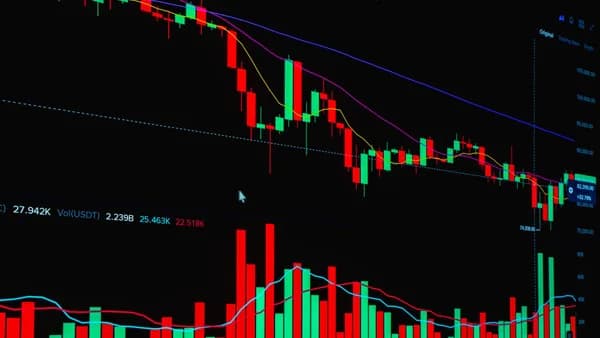
Choosing between MT4 vs cTrader brokers is not just a software preference—it affects execution tools, automation options, broker choice, pricing visibility, and how you manage trades day to day. Both platforms are widely used for forex and CFD trading, but the source data shows a clear split: MetaTrader 4 is broader, older, and supported by a larger ecosystem, while cTrader is more modern, more transparent, and stronger in charting and market-depth tools.
XOOMAR Intelligence
Analyst Take
This comparison focuses on the practical broker decision: which platform better fits your trading style, especially if you care about execution, scalping, automation, commissions, mobile access, and ease of use.
1. MT4 and cTrader: Quick Platform Overview
MetaTrader 4, commonly called MT4, remains the most widely supported retail forex trading platform in the source data. CompareForexBrokers describes it as the “most popular trading platform,” while Cloudzy reports that 85% of forex traders use MT4 and that it has over 3,006 servers worldwide.
MT4’s core strengths are simplicity, broad broker availability, and its huge ecosystem of Expert Advisors, custom indicators, scripts, and community resources. It is especially important for traders who want a proven platform with abundant third-party tools.
cTrader, developed by Spotware, is positioned differently. It is favored by many advanced traders and ECN/STP-focused brokers because of its modern interface, advanced charting, market depth, Level II pricing, VWAP views, execution statistics, and built-in copy trading. DailyForex reports that cTrader is used by 8M+ traders.
Key insight: MT4 is stronger when broker availability, community support, and automation libraries matter most. cTrader is stronger when interface design, pricing transparency, depth of market, and advanced order management matter most.
| Platform Area | MT4 | cTrader |
|---|---|---|
| General Positioning | Most widely used retail forex platform | Modern ECN/STP-focused platform |
| Best Known For | Expert Advisors, broker availability, large community | Charting, market depth, execution transparency |
| Interface Style | Traditional desktop-focused layout | Modern, clean, customizable interface |
| Automation Language | MQL4 | C# via cTrader Automate |
| Broker Support | Widely supported by most forex brokers | Mainly supported by ECN/STP brokers |
| Native Copy Trading | Not native; broker-dependent | Built-in cTrader Copy feature |
The best choice is not universal. It depends on whether you value ecosystem size or platform transparency more.
2. Broker Availability and Account Types
Broker availability is one of the biggest differences when comparing MT4 vs cTrader brokers. MT4 has the wider footprint by a large margin. CompareForexBrokers states that MT4 is “widely supported by most forex brokers,” while Cloudzy describes MT4 support as effectively universal, reporting 3,000+ brokers worldwide.
cTrader has a smaller broker network. However, the sources consistently describe cTrader’s availability as concentrated among ECN/STP-style brokers. Cloudzy names IC Markets, FxPro, Pepperstone, Fusion Markets, and BlackBull Markets as examples of brokers offering cTrader.
Broker support comparison
| Broker Factor | MT4 Brokers | cTrader Brokers |
|---|---|---|
| Availability | Very broad; source data reports 3,000+ brokers worldwide | More limited; commonly found with ECN/STP brokers |
| Typical Broker Type | Available across many broker models | Often associated with ECN/STP and transparent execution environments |
| Platform Portability | Easier to move between brokers due to wide MT4 adoption | Less portable because fewer brokers offer it |
| Account Variety | Broad range of broker account structures | Often offered alongside raw spread or ECN-style accounts, depending on broker |
| Examples Mentioned in Sources | MT4 broadly supported by most forex brokers | IC Markets, FxPro, Pepperstone, Fusion Markets, BlackBull Markets |
What this means for traders
MT4 brokers give you more choice. If you are comparing jurisdictions, account types, leverage policies, spreads, execution models, or deposit methods, MT4’s availability makes broker shopping easier.
cTrader brokers may give you a more transparent trading environment, especially where brokers offer ECN/STP execution, Level II pricing, and detailed order-fill information. But because the list of cTrader brokers is smaller, you may have fewer account options to compare.
Practical takeaway: If you want maximum broker choice, MT4 has the advantage. If you specifically want ECN/STP-style tools and market depth, cTrader deserves closer attention.
3. Charting Tools and Technical Indicators Compared
Charting is where cTrader clearly pulls ahead on built-in functionality. MT4 remains capable, especially because of its custom indicator ecosystem, but cTrader offers more timeframes, more native indicators, and more chart types out of the box.
MT4 charting features
According to CompareForexBrokers and Fusion Markets, MT4 includes:
- Chart Types: Bar, Line, and Candlestick charts
- Timeframes: 9 timeframes, ranging from 1 minute to 1 month
- Analytical Objects: 24 analytical objects, including lines, channels, shapes, arrows, Gann tools, and Fibonacci tools
- Built-In Indicators: 30 built-in technical indicators
- Custom Indicators: More than 2,000 free custom indicators and 700 paid indicators available through the Code Base
- Chart Views: Ability to open an unlimited number of charts and use templates
MT4’s biggest charting advantage is not the default package—it is the third-party ecosystem. If you need a niche indicator or a custom technical setup, there is a strong chance an MT4 version already exists.
cTrader charting features
cTrader offers a more advanced native charting package. CompareForexBrokers reports 70+ technical indicators, 28 timeframes, and 9 chart types. Fusion Markets reports 70 built-in indicators, 33 analytical objects, and 26 standard timeframes, with more than 50 timeframes across all chart types, including tick and pip charts.
cTrader chart types mentioned in the sources include:
- Bar
- Line
- Candlestick
- Heikin-Ashi
- HLC
- Dot
- Tick charts with 27 settings
- Renko bars with 19 settings
- Range-based charts with 22 settings
| Charting Feature | MT4 | cTrader |
|---|---|---|
| Built-In Indicators | 30 | 70+ |
| Custom Indicator Ecosystem | Very large; 2,000+ free and 700 paid indicators in Code Base | Smaller than MT4, but supports custom development in C# |
| Timeframes | 9 | Sources report 26 to 28, plus expanded options across tick/pip chart types |
| Chart Types | 3: Bar, Line, Candlestick | 8 to 9, including Heikin-Ashi, Dot, Tick, Renko, and Range |
| Analytical Objects | 24 | 33 |
| Detachable Charts | Not highlighted in source data | Supported; useful for multi-screen setups |
Charting verdict
cTrader is stronger for traders who want more native charting options without installing third-party tools. MT4 is stronger if you rely on custom indicators, legacy templates, or community-built tools.
4. Order Execution and Depth of Market Features
Execution quality depends heavily on the broker, not only the platform. The source data is clear on this point: MT4 execution speed varies by broker infrastructure, while cTrader is designed for ECN/STP environments and offers more transparency around depth and fills.
Execution speed data from sources
Cloudzy reports the following execution-speed observations:
| Execution Metric | MT4 | cTrader |
|---|---|---|
| Typical Reported Range | Around 100ms average in one source | Around 150–250ms in one source |
| Top Broker Example | Pepperstone reported at sub-30ms on MT4; IC Markets around 40ms | FxPro reported around 50–65ms |
| Main Limitation | Broker infrastructure matters heavily | Real-world speed may vary despite platform design |
These figures should not be treated as universal for every broker. They are source-reported examples and can vary based on broker servers, account type, liquidity providers, VPS location, and market conditions.
Important warning: Do not choose a broker based only on a platform’s marketing claims about speed. The sources show that actual execution depends on broker infrastructure, and top MT4 broker setups can be faster than some cTrader setups.
Depth of market and order management
cTrader has the stronger market-depth toolkit. CompareForexBrokers states that cTrader provides market depth showing liquidity at different price levels, while MT4 does not offer this natively. Fusion Markets also highlights cTrader’s 3 Depth of Market types:
- Standard DoM
- Price DoM
- VWAP DoM
CompareBrokers also notes that cTrader offers Level II pricing, VWAP depth, and execution statistics. This makes cTrader more useful for traders who care about visible liquidity and order-flow context.
Order type comparison
| Order Feature | MT4 | cTrader |
|---|---|---|
| Market Orders | Supported | Supported |
| Limit Orders | Supported | Supported |
| Stop Orders | Supported | Supported |
| Pending Orders | Buy Stop, Sell Stop, Buy Limit, Sell Limit | Includes standard pending orders plus more advanced options |
| Stop-Limit Orders | Not highlighted as native in source data | Supported |
| OCO / Advanced Protection | Not native in source comparison | Supported via Advanced Protection features |
| Trailing Stops | Supported | Supported; sources note tighter stop-loss and trailing tools |
| Close Multiple Positions by Type | Manual closing emphasized in source comparison | Can close positions by winners, losers, long, or short positions |
| Depth of Market | Basic or not native depending on source/broker | Advanced Level II, VWAP, and execution-statistics tools |
cTrader is better for advanced manual order management. MT4 remains sufficient for standard forex order placement, especially if your strategy uses market orders, pending orders, stop losses, and take profits.
5. Automated Trading: Expert Advisors vs cBots
Automation is one of MT4’s strongest areas. MT4 uses Expert Advisors, or EAs, coded in MQL4. cTrader uses cBots, built using C# through cTrader Automate.
MT4 Expert Advisors
Cloudzy reports that MT4 has 25,000+ Expert Advisors, while CompareForexBrokers notes that MT4 has a vast library of automation bot programs. Fusion Markets also highlights that MQL4 has been used longer than cTrader’s automation environment, resulting in more pre-written scripts, templates, and community support.
MT4 automation advantages include:
- EA Library: Very large ecosystem of prebuilt Expert Advisors
- Community: Extensive forums, tutorials, and developer support
- Custom Indicators: Large pool of third-party indicators that can support automated strategies
- Beginner Access: More existing scripts and examples for non-programmers
cTrader cBots
cTrader Automate uses C#, which the sources describe as a modern and powerful programming language. CompareBrokers says cTrader Automate offers advanced backtesting and optimization tools, while Fusion Markets notes that C# is widely recognized and theoretically versatile.
cTrader automation advantages include:
- Language: Uses C#, appealing to developers familiar with modern programming
- Backtesting: Source data highlights advanced backtesting and optimization tools
- Open API: Cloudzy notes that cTrader’s Open API enables sophisticated integrations
- Platform Design: Built for modern ECN/STP-style trading environments
| Automation Factor | MT4 Expert Advisors | cTrader cBots |
|---|---|---|
| Programming Language | MQL4 | C# |
| Marketplace Size | Very large; source reports 25,000+ EAs | Smaller marketplace |
| Community Support | Extensive | Smaller but growing |
| Backtesting | Strategy tester; sources describe it as more limited and single-threaded | Advanced backtesting and optimization; multi-core support noted |
| Best For | Traders who want ready-made bots, indicators, and community help | Developers comfortable with C# and modern automation tools |
Automation verdict
MT4 is generally better for traders who want existing automated strategies, templates, and community help. cTrader may be better for developers who prefer C# and want a more modern automation framework, but its smaller marketplace is a real limitation.
6. Spreads, Commissions, and Pricing Transparency
When comparing MT4 vs cTrader brokers, pricing needs to be separated into two parts: actual trading costs and pricing transparency.
The sources do not provide a universal spread table across all brokers. That matters because spreads and commissions are broker-specific, account-specific, and can change. However, the research does provide useful points on commission examples and transparency.
Commission data from source testing
Cloudzy reports that testing found cTrader commissions “often run higher,” citing $1.34 per 0.10 lot compared with $0.70 for equivalent positions on MT4 in that test context.
This should be interpreted carefully. It is not a universal rule for every broker or every account type. The more reliable takeaway is that traders should compare live broker pricing on the exact account they plan to use.
| Pricing Area | MT4 Brokers | cTrader Brokers |
|---|---|---|
| Commission Example from Source Testing | $0.70 for equivalent positions in one reported test | $1.34 per 0.10 lot in one reported test |
| Spread Transparency | Depends heavily on broker/account | Often paired with ECN/STP environments and more transparent execution tools |
| Depth-Based Pricing Visibility | Limited native market-depth visibility | Stronger via Level II pricing and VWAP depth |
| Execution Statistics | Broker/platform dependent | Highlighted in source data as a cTrader strength |
Pricing transparency
cTrader has an advantage in transparency because of its market-depth tools, VWAP depth, Level II pricing, and execution statistics. CompareBrokers specifically describes cTrader as attractive for ECN traders because of enhanced depth and execution visibility.
MT4 can still be cost-effective, especially because it is offered by many brokers. Greater broker availability can increase your ability to compare spreads, commissions, execution models, and account types.
Pricing takeaway: cTrader may show more of what is happening in the order book, while MT4 may give you more broker choice when shopping for low costs.
7. Mobile and Web Trading Experience
Both MT4 and cTrader support mobile trading on iOS and Android, and both allow traders to monitor markets, execute trades, and manage positions on the go. The difference is in web functionality and interface design.
MT4 mobile and web experience
MT4’s mobile app is functional and widely used. CompareBrokers notes that the MT4 mobile app offers live quotes, charts, and order management. Fusion Markets also states that MetaTrader mobile apps allow traders to access accounts, execute trades, and monitor markets in real time.
However, the source data consistently presents MT4’s web experience as more basic compared with cTrader. CompareForexBrokers describes MT4’s web platform as basic, while CompareBrokers notes that MT4 has less advanced web trading functionality than newer platforms.
cTrader mobile and web experience
cTrader has the advantage in web and interface design. CompareForexBrokers describes cTrader’s web trader and mobile apps as comprehensive. CompareBrokers highlights cTrader’s strong web functionality and cloud synchronization, while Fusion Markets describes the cTrader mobile app as user-friendly with real-time quotes, interactive charts, and order execution.
| Experience Area | MT4 | cTrader |
|---|---|---|
| Mobile Apps | Available on iOS and Android; supports quotes, charts, and order management | Available on iOS and Android; user-friendly design and interactive charts |
| Web Platform | Functional but described as basic | Stronger web-based functionality |
| Workspace Sync | Not highlighted in source data | Cloud synchronization highlighted |
| Interface Customization | More rigid/traditional | More flexible; detachable charts and customizable workspace |
Mobile/web verdict
If you mostly trade from desktop and value a familiar setup, MT4 is enough. If you trade across browser, desktop, and mobile and want a more modern interface, cTrader is stronger.
8. Which Platform Is Better for Scalpers?
Scalpers care about fast execution, order placement speed, spreads, commissions, stop placement, and depth of market. The source data does not give one universal winner, but it does show different strengths.
Why scalpers may prefer cTrader
cTrader has several features that directly support manual scalping:
- One-Click Trading: CompareForexBrokers notes one-click trading on charts for quicker entries
- Market Depth: Native depth of market with liquidity at different price levels
- VWAP Tools: VWAP depth views available
- Advanced Orders: Stop-limit orders, OCO-style protection, and advanced trade management
- Position Management: Ability to close groups of trades by winners, losers, long, or short positions
- Tighter Trade Controls: Source testing notes tighter stop-loss and trailing stop-loss functionality
These are meaningful for active manual traders who rely on fast entries and market-depth context.
Why scalpers may still prefer MT4
MT4 also has scalping advantages, especially when paired with a strong broker setup. Cloudzy reports MT4 averages around 100ms execution in its data, with top examples such as Pepperstone delivering sub-30ms and IC Markets around 40ms.
MT4 also has a much larger EA ecosystem, which matters for automated scalping strategies.
| Scalping Factor | Better Fit |
|---|---|
| Manual order-flow scalping | cTrader |
| Depth of market and VWAP visibility | cTrader |
| Advanced position closing tools | cTrader |
| Automated scalping with existing bots | MT4 |
| Broad broker choice for low-cost accounts | MT4 |
| Fast execution at top broker setups | MT4 can be highly competitive based on source examples |
Scalping verdict
cTrader is the stronger manual scalping platform because of market depth, one-click trading, advanced order tools, and VWAP views. MT4 remains a serious option for scalpers who prioritize broker choice, proven execution at specific brokers, and automated EA strategies.
9. Which Platform Is Better for Beginners?
For beginners, the best platform is usually the one that reduces friction. That means easier broker access, more tutorials, simpler navigation, and a large support community.
Why beginners may prefer MT4
MT4 has several beginner-friendly advantages:
- Simplicity: Traditional layout with clear Market Watch, chart, and terminal areas
- Community: Extensive forums, tutorials, and educational resources
- Broker Choice: Widely supported by forex brokers globally
- Free Access: Many brokers offer MT4 for free
- Mobile App: Core trading functions available on Android and iOS
- Learning Resources: Source data repeatedly highlights MT4’s large global user base and online support
Cloudzy explicitly argues that new traders need simplicity and support more than advanced features. CompareBrokers also lists MT4 as easy to learn and suitable for beginners.
Why beginners may prefer cTrader
cTrader’s interface is modern and intuitive. CompareForexBrokers describes it as clean and distraction-free, with key features easy to access. Fusion Markets also says cTrader aims to create a seamless experience for both beginner and experienced traders.
However, cTrader’s smaller community and reduced broker availability may create a steeper learning curve for some beginners.
| Beginner Need | MT4 | cTrader |
|---|---|---|
| Easy Broker Access | Stronger | More limited |
| Learning Resources | Stronger | Smaller resource base |
| Modern Interface | Weaker | Stronger |
| Simple Core Trading | Strong | Strong |
| Advanced Features | Available, but less modern | More accessible out of the box |
| Best Learning Path | Better for most beginners | Better for beginners who value modern UI and transparency |
Beginner verdict
MT4 is usually the safer starting point for beginners because it has more brokers, more tutorials, more community support, and a simpler learning path. cTrader is still beginner-friendly in design, but its advanced features and smaller ecosystem may be more useful after a trader understands the basics.
10. Final Recommendation: MT4 or cTrader Broker?
The best choice between MT4 vs cTrader brokers depends on your trading style, not on which platform looks better in isolation.
Choose an MT4 broker if you want:
- Broker Choice: Access to the widest range of forex brokers and account types
- Automation: A large Expert Advisor ecosystem, with source data reporting 25,000+ EAs
- Custom Indicators: A large library including 2,000+ free and 700 paid custom indicators
- Community Support: Extensive tutorials, forums, scripts, and developer help
- Beginner Simplicity: A familiar platform with abundant educational material
- Potential Low-Cost Shopping: More brokers to compare for spreads, commissions, and execution
Choose a cTrader broker if you want:
- Advanced Charting: 70+ indicators, more timeframes, and more chart types
- Execution Transparency: Level II pricing, VWAP depth, and execution statistics
- Manual Scalping Tools: One-click trading, market depth, and advanced order protection
- Modern Interface: Cleaner design, detachable charts, and stronger web functionality
- C# Automation: cBots through cTrader Automate and a modern development framework
- Built-In Copy Trading: Native cTrader Copy functionality
Practical decision table
| Trader Profile | Better Platform Fit | Why |
|---|---|---|
| Complete beginner | MT4 | More brokers, more tutorials, larger community |
| Manual scalper | cTrader | Market depth, VWAP, one-click trading, advanced order tools |
| EA trader | MT4 | Larger Expert Advisor marketplace and MQL4 ecosystem |
| C# developer | cTrader | cBots use C# through cTrader Automate |
| Technical chartist | cTrader | More built-in indicators, chart types, and timeframes |
| Broker shopper | MT4 | Wider broker availability globally |
| Transparency-focused trader | cTrader | Level II pricing, VWAP depth, execution statistics |
Before opening a live account
Use demo accounts where available. CompareBrokers specifically recommends testing each platform before committing, because platform comfort and trading style matter.
When comparing brokers, check:
- Execution: Does the broker publish or demonstrate execution quality?
- Spreads: Are spreads fixed, variable, raw, or standard?
- Commissions: What does the broker charge on your specific account type?
- Platform Version: Does the broker support desktop, web, and mobile access?
- Automation Rules: Are EAs or cBots allowed?
- Scalping Rules: Does the broker permit your trading style?
- Depth Tools: If using cTrader, does the broker provide useful market-depth visibility?
Bottom Line
MT4 remains the stronger all-around choice for broker availability, beginner learning, Expert Advisors, and community support. It is widely supported, familiar, and backed by a very large ecosystem of indicators, scripts, and automated strategies.
cTrader is the better platform for traders who want a modern interface, advanced charting, Level II pricing, VWAP depth, transparent execution statistics, and stronger manual order-management tools. For active manual traders and scalpers, those features can be valuable.
The most practical answer is this: choose MT4 if ecosystem and broker choice matter most; choose cTrader if execution transparency, charting depth, and modern trading tools matter more.
FAQ
Is MT4 or cTrader better for forex trading?
Neither platform is universally better. MT4 is better for broker availability, Expert Advisors, custom indicators, and community support. cTrader is better for built-in charting, depth of market, Level II pricing, VWAP tools, and modern web functionality.
Are cTrader brokers more transparent than MT4 brokers?
The source data suggests cTrader offers stronger pricing and execution transparency tools, including Level II pricing, VWAP depth, depth of market, and execution statistics. However, actual transparency still depends on the broker and account type.
Is MT4 faster than cTrader?
Execution speed depends heavily on broker infrastructure. One source reports MT4 around 100ms on average, with top examples such as Pepperstone at sub-30ms and IC Markets around 40ms. The same source reports cTrader commonly around 150–250ms, with FxPro around 50–65ms. These figures are not universal and should be checked with the broker you plan to use.
Which is better for automated trading: MT4 Expert Advisors or cTrader cBots?
MT4 is stronger for most traders who want ready-made automation because of its large Expert Advisor ecosystem. Source data reports 25,000+ Expert Advisors and extensive MQL4 community support. cTrader’s cBots use C#, which may appeal to developers, but the cBot marketplace is smaller.
Which platform has better charting?
cTrader has better built-in charting. It offers 70+ indicators, more timeframes, more chart types, detachable charts, and advanced chart options such as tick, Renko, and range-based charts. MT4 has fewer native tools but a much larger custom indicator ecosystem.
Should beginners choose MT4 or cTrader?
Most beginners may find MT4 easier to start with because it has wider broker support, more tutorials, and a larger community. cTrader has a cleaner modern interface, but its smaller ecosystem and more advanced tools may be better suited to traders who already understand the basics.
Sources & References
Content sourced and verified on June 17, 2026
- 1cTrader vs MT4 - Which Forex Trading Platform Wins In 2026?
https://www.compareforexbrokers.com/trading-platforms/ctrader-vs-mt4/
- 2cTrader vs MT4 Comparison: Speed, Features & Real Performance in 2025 · Cloudzy Blog
https://cloudzy.com/blog/ctrader-vs-mt4/
- 3Ctrader vs MT4 : A Thorough Comparison Updated 2026
https://www.dailyforex.com/forex-articles/ctrader-or-mt4-which-platform-is-better-for-forex-trading/211881
- 415 Best Mt4 Vs Ctrader & trading Platforms for 2026
https://comparebrokers.co/compare/mt4-vs-ctrader/
- 5cTrader vs. MetaTrader: Key Differences and Similarities
https://fusionmarkets.com/posts/ctrader-metatrader-differences-similarities
- 6MetaTrader 4 (MT4) vs cTrader 2026 - TradingBrokers.com
https://tradingbrokers.com/mt4-vs-ctrader/

Written by
XOOMAR
Data desk
XOOMAR is a capital markets software and data company. Every brief on this site starts from a dataset the company collects itself from primary sources (CFTC, SEC EDGAR, FINRA, the Federal Reserve, exchange APIs) and names the numbers it is built on, with a link to the data page so you can check them. Briefs are reviewed before they go out and corrected in place when the data is revised.