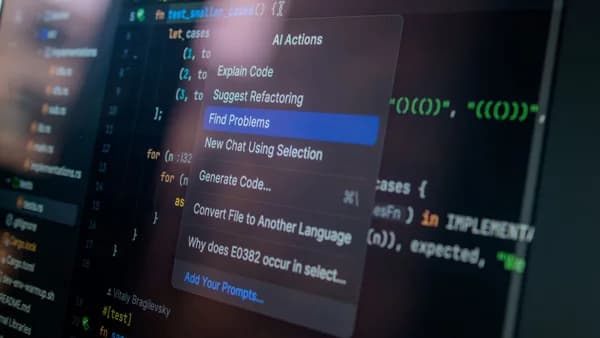
Four new AI sections are enough to turn Adobe Project Indigo from a camera app with a point of view into another front in the “what is a photo” fight. Adobe isn’t wrong to test generative AI. It’s wrong to blur that test into an app whose original appeal was a more natural, SLR-like look for iPhone photography.
XOOMAR Intelligence
Analyst Take
Project Indigo’s new AI Playground arrives in version 1.1 with generative filters, object removal, AI photo critique, and text-prompted edits, according to The Verge. That’s a sharp turn for an app built around restraint. The tension is simple: users came for a camera that made phone images feel less processed. Adobe is now inviting them into image fabrication.
My view: Adobe should keep experimenting, but not at the cost of Indigo’s identity. A camera app carries a different burden than a design tool. It starts with capture. That still matters.
Adobe Project Indigo won attention by rejecting the overprocessed phone-photo look
Project Indigo’s best idea was not nostalgia. It was discipline.
Adobe launched the app last year to provide a “more natural (SLR-like) look” for iPhone photography. The app also offered manual controls like focus, shutter speed, ISO, and white balance, which made it feel like a tool for people who wanted more say over the frame, not more software guessing after the fact.
That mattered because the standard phone-photo pipeline often rewards aggressive polish. Bright shadows. Crunchy detail. Flattened texture. A face or sky that looks technically “better” but emotionally thinner. Indigo’s pitch cut against that. It suggested Adobe understood a real frustration: plenty of photographers don’t want their camera to invent more. They want it to interpret less.
That’s why the AI Playground feels so jarring. Styles can re-render photos as illustrations. Object Editing can remove people, objects, and distractions, then fill the gaps with generative AI. Custom Edit lets users describe more detailed changes. These are not just camera controls. They alter the status of the image.
Four AI Playground tools push Adobe into the photo-authenticity fight
The new AI Playground has four sections: Styles, Object Editing, Photo Guidance, and Custom Edit. Adobe fellow Marc Levoy says each section includes “multiple buttons or toggles, which trigger GenAI with prompts we have engineered for them.” If users dislike a result, they can press again and “typically get something slightly different.”
That last phrase matters. A camera setting should behave predictably. A generative button can produce variations. Once that logic enters the camera experience, the boundary between capture and creation gets harder to read.
“Whether the edits you apply are ‘fair’ or ‘misleading’ depend on what you do, who you share the images with, and how you present them.”
Levoy is right about user responsibility. But that’s not enough. Product design tells users what a company thinks is normal. Putting generative tools inside the same app that captures the original image makes synthetic alteration feel native to the act of photography.
Here’s the split Adobe needs to respect:
| Indigo function | What it does | Trust issue |
|---|---|---|
| Manual camera controls | Adjust capture choices like focus, shutter speed, ISO, and white balance | Shapes the image at capture |
| Computational photography | Helps produce the app’s natural, SLR-like look | Interprets the captured scene |
| Object Editing | Removes objects or people and fills blank space with GenAI | Changes what was present |
| Custom Edit | Uses prompts to manipulate the image more broadly | Can push the output beyond documentation |
That distinction is the whole story. Editing is not new. But generating missing content is not the same as choosing a shutter speed.
Opt-out buttons don’t restore trust once generative AI is in the camera
Adobe is not rolling this out recklessly, at least not according to the company’s own framing. It calls AI Playground an experiment. It says users can opt out and keep using Indigo as before. Free access with no sign-on requirement is being tested with a small percentage of users over the next few weeks.
9to5Mac adds that Adobe says the test is limited to “a few percent” of users and that, for those who opt in, the company will only collect button presses in the Playground. Adobe also says it “won’t look at your prompts, or images, or upload them to [its] servers, or use them to train AI models,” according to 9to5Mac.
Those are meaningful guardrails. They don’t solve the product problem.
An opt-out button protects the individual session. It doesn’t protect the brand meaning. Once Indigo contains generative AI, every Indigo image now carries a question it didn’t carry before: was this captured, or was it constructed?
Adobe seems to know the issue is serious. Levoy says the Indigo team is working toward adding C2PA Content Credentials, a metadata standard for identifying AI content already used by Adobe’s Firefly models. He also notes that Google’s SynthID invisible watermark is already applied by Nano Banana, the Google AI model Adobe is using “to start.”
Good. Now make that visible enough that normal users can’t miss it.
The strongest defense of Adobe’s experiment still runs into a hard line
The fair defense is that photography has never been pure documentation. Lenses distort. Film stocks interpret color. Darkroom work changes contrast and exposure. Filters and computational photography have already shifted mobile images far away from untouched capture.
Creative users may also want one workflow. Shoot, edit, remove distractions, apply a style, ask for critique, export. That’s efficient. And Adobe’s Photo Guidance feature, which analyzes images to suggest reshoots and edits, could be genuinely useful if it helps people improve rather than merely decorate.
Adobe also has a practical technical reason for treating this as a lab. The company is using Google’s Nano Banana model “to start,” and 9to5Mac reports that Nano Banana only outputs Standard Dynamic Range images, even when the user captures in High Dynamic Range. Adobe says it built a custom ML model to post-process those SDR images back to HDR, though the company says the result is not perfect and depends heavily on Nano Banana’s output.
That’s exactly why Indigo needs stricter boundaries. Experimental outputs belong in a clearly marked workspace, not in a flow that feels indistinguishable from photography. Adobe can offer generative editing without letting it inherit the trust of capture.
This is also the editorial test XOOMAR keeps applying to consumer AI products: when AI slips into familiar flows, disclosure has to become more explicit, not less. That same design pressure shows up in our coverage of Spotify AI Chatbot Takes Over the Premium Listening Flow and Beijing Forces Apple Intelligence China Into AI Trade-Off, even though Adobe’s camera problem is its own, sharper case.
Adobe needs a hard authenticity line before AI becomes the camera default
Adobe should keep AI Playground separate from Indigo’s natural-camera mission unless it can draw bright lines users actually see.
That means four product choices:
- Plain labels: AI-edited outputs should say so in the interface, not only in metadata.
- Original preservation: Indigo should keep the captured file clearly accessible beside any altered version.
- Visible edit history: Users should be able to see whether an image used Styles, Object Editing, Photo Guidance, or Custom Edit.
- No synthetic nudging: The app should not push generative edits as the default next step after capture.
Marc Levoy says Adobe’s goal is to learn how people use GenAI-powered editing and that if the feature proves popular, Adobe will “eventually offer a paid version.” That’s a reasonable business path. But popularity won’t answer the authenticity question. A tool can be popular because it is easy, seductive, and ambiguous.
Adobe has a chance to set a better norm here. The future of photography doesn’t require pretending AI doesn’t exist. It does require camera makers, especially Adobe, to stop treating authenticity like an optional setting buried behind a sparkle button.
The Bottom Line
- Adobe is shifting a camera app known for restraint toward generative AI tools.
- The update raises questions about where photography ends and image fabrication begins.
- Users who chose Indigo for natural-looking photos may see the app’s identity becoming less clear.
Project Indigo’s Original Pitch vs. AI Playground
| Original Project Indigo | New AI Playground |
|---|---|
| Focused on a more natural, SLR-like look for iPhone photography | Adds generative filters and text-prompted edits |
| Emphasized manual controls like focus, shutter speed, ISO, and white balance | Includes object removal and AI photo critique |
| Appealed to users who wanted less processed-looking images | Pushes the app toward image fabrication and heavier AI intervention |
Primary Sources & Disclosures

Written by
XOOMAR Insights Team
Research and Editorial Desk
The XOOMAR Insights Team pairs automated research with human editorial judgment. We track hundreds of sources across technology, fintech, trading, SaaS, and cybersecurity, cross-check the facts, and explain what happened, why it matters, and what to watch next. We do not just rewrite headlines. Every article is fact-checked and scored for reliability before it goes live, and we link back to the original sources so you can verify anything yourself.