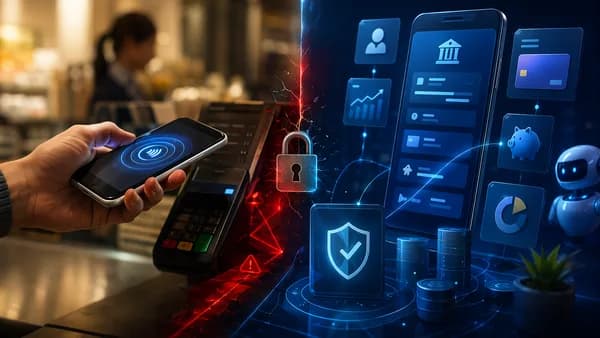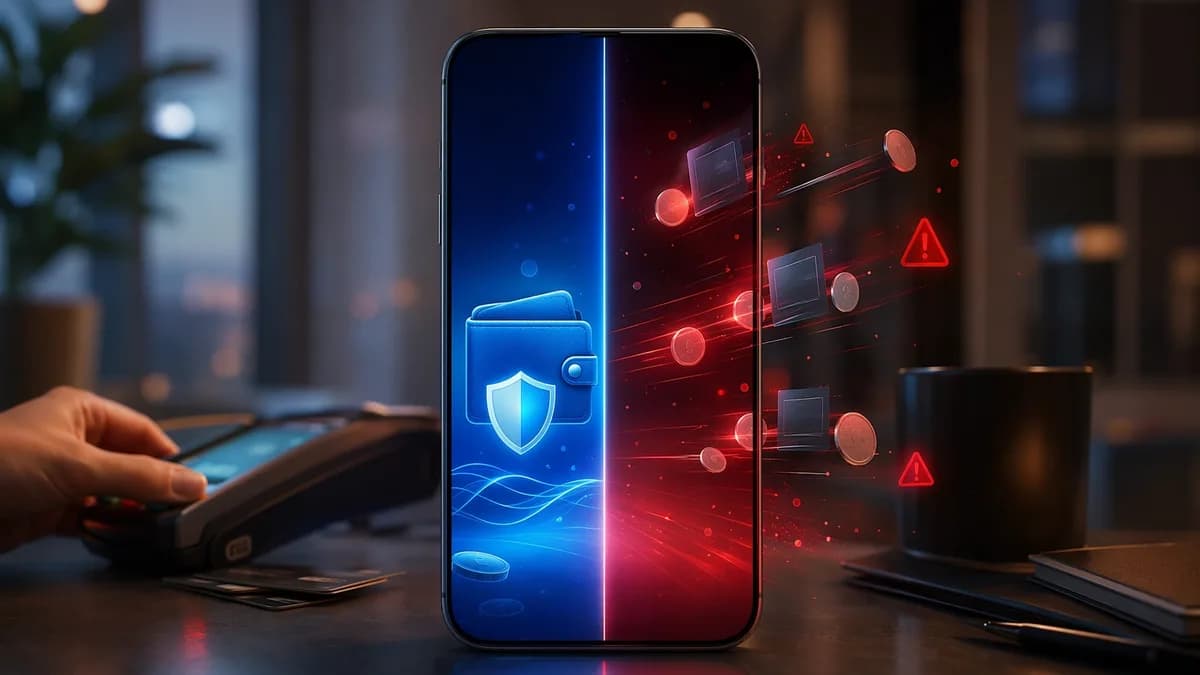
Choosing between digital wallets vs payment apps is less about finding one “best” tool and more about matching the tool to the spending moment. A tap-to-pay wallet at a grocery checkout, a peer-to-peer app for splitting dinner, and a bank-to-bank transfer tool all move money digitally—but they do it with different security models, transfer rules, fees, and risks.
XOOMAR Intelligence
Analyst Take
For everyday spending, the most useful distinction is this: digital wallets are usually optimized for storing payment credentials and checking out, while payment apps are often optimized for sending money between people. The overlap is real, but the differences matter when you care about fraud protection, speed, merchant acceptance, budgeting, and where your money sits.
Digital Wallets and Payment Apps: Key Differences
A digital wallet is a software application or online service that securely stores payment information and lets users make electronic payments without using physical cash or cards. According to SDK.finance, digital wallets can store credit and debit card information, bank account data, loyalty points and coupons, tickets or identification, and even cryptocurrency private keys.
A payment app, in everyday use, usually refers to an app used to move money, especially person-to-person. PersonalOne separates the category into several types: peer-to-peer transfer apps such as Venmo, Cash App, and Zelle; mobile wallets such as Apple Pay, Google Pay, and Samsung Pay; Buy Now Pay Later tools; and embedded finance tools inside platforms such as gig-work or commerce apps.
Key takeaway: Digital wallets are best understood as a place to store and use payment credentials. Payment apps are best understood as tools for moving money—often between people—though some products overlap across both categories.
Digital wallets vs payment apps at a glance
| Category | Digital Wallets | Payment Apps |
|---|---|---|
| Primary purpose | Store payment details and support checkout | Send, receive, or move money |
| Common use cases | Online checkout, in-app purchases, tap-to-pay, recurring payments | Splitting bills, informal transfers, rent, trusted-contact payments |
| Examples from source data | Apple Pay, Google Pay, Samsung Pay, PayPal, Starbucks App, Amazon Pay | Venmo, Cash App, Zelle, PayPal |
| Stored information | Cards, bank details, loyalty cards, coupons, transaction history, IDs, tickets | App balance or linked bank/card details, depending on provider |
| In-store use | Strong for mobile wallets using NFC or QR codes | Varies by app; some focus more on P2P |
| Main risk | Provider-specific data handling and account security | Scams, irreversible transfers, uninsured app balances |
| Best everyday role | Paying merchants | Paying people you know |
The terminology can be confusing because some products fit more than one bucket. For example, PayPal appears in source data as an open wallet example and as a broader digital wallet. Cash App and Venmo are also described as digital wallet-style tools in some contexts, while PersonalOne emphasizes their role as peer-to-peer payment apps.
For practical everyday use, the sharper question is not “What is the label?” but “Am I paying a merchant, or am I sending money to a person?”
How Digital Wallets Work
Digital wallets work by storing payment credentials securely and using them to complete transactions without requiring the user to manually enter card details every time.
SDK.finance describes a digital wallet as an encrypted digital interface that can let users send, receive, and manage money through connected devices, usually a smartphone. When a payment happens, the wallet verifies the user, communicates with the bank or payment network, and completes the transaction in real time.
What digital wallets can store
Digital wallets are broader than just “cards on your phone.” Based on SDK.finance and Access PaySuite, they may store:
- Payment Cards: Credit and debit card information.
- Bank Details: Bank account data used for payments or funding.
- Loyalty Items: Loyalty cards, points, coupons, and merchant rewards.
- Identity Items: Identification details, tickets, or similar credentials.
- Transaction Records: Payment history and account activity.
- Crypto Keys: In cryptocurrency wallets, private keys for digital assets.
This is why a wallet can support more than one spending flow. It can be used for online shopping, in-app purchases, recurring payments, peer-to-peer transfers, and—when designed as a mobile wallet—contactless in-store checkout.
Mobile wallets are a specific type of digital wallet
Access PaySuite draws a useful distinction: a mobile wallet is a type of digital wallet designed specifically for smartphones and tablets. Mobile wallets support contactless payments using NFC, QR codes, or in-app transactions.
| Feature | Digital Wallet | Mobile Wallet |
|---|---|---|
| Device access | Available on any internet-enabled device | Available through mobile devices |
| Transaction types | Primarily online purchases, in-app payments, recurring payments | Online, in-app, and in-store contactless payments |
| User experience | May be broader and more complex | Streamlined for quick, on-the-go payments |
| Security features | Often includes encryption; varies by provider | Often includes biometric authentication |
| Integration | Can integrate with multiple platforms | Often tied to mobile ecosystems |
For everyday spending, mobile wallets are especially important because they turn a smartphone into a checkout credential. Apple Pay, Google Pay, and Samsung Pay are cited in the source data as widely used examples of mobile wallets.
Types of digital wallets
SDK.finance breaks digital wallets into several types, each with different rules and use cases.
| Digital Wallet Type | How It Works | Examples from Source Data | Everyday Spending Fit |
|---|---|---|---|
| Closed-Loop Wallet | Works only inside one company’s ecosystem | Starbucks App, Walmart Pay | Useful for repeat purchases with one brand |
| Semi-Closed Wallet | Works across approved merchants and partners, usually without outside cash withdrawal | Paytm early version, Amazon Pay | Useful where merchant networks are supported |
| Open Wallet | Connects to banks and card networks; can support payments, transfers, and withdrawals | PayPal, Google Pay, Apple Pay | Broadest everyday utility |
| Cryptocurrency Wallet | Stores or manages cryptographic keys for digital assets | MetaMask, Coinbase Wallet | More specialized; not primarily everyday checkout |
| Mobile Money Wallet | Uses a mobile number or USSD code; can work without a bank account or internet access | M-Pesa, MTN Mobile Money | Important for financial inclusion and mobile-based transfers |
Closed-loop wallets can be convenient if you frequently shop with the same merchant and want loyalty integration. Open wallets are usually more flexible because they connect to broader bank and card networks.
How Payment Apps Work
Payment apps move money between parties. In everyday consumer use, the most important subset is peer-to-peer payment apps: tools for sending money to friends, roommates, family members, gig workers, or trusted contacts.
PersonalOne highlights Venmo, Cash App, and Zelle as dominant peer-to-peer payment apps, but also warns that they are not interchangeable. The differences affect speed, reversibility, fraud risk, and whether funds sit in an app balance.
P2P payment apps compared
| Feature | Venmo | Cash App | Zelle |
|---|---|---|---|
| Transfer speed | 1–3 days free / instant with fee | 1–3 days free / instant with fee | Instant — minutes |
| Reversible? | Limited dispute options | Generally no | No — treat like cash |
| FDIC insurance treatment | Optional opt-in only | Cash App Banking only | Funds remain at your bank |
| Best use | Social splits, trusted friends | Gig work payouts, informal transfers | Trusted contacts, rent, recurring bills |
| Fraud risk noted in source | Medium | Higher — common scam target | Low — bank-to-bank, no app balance |
This table is critical for the digital wallets vs payment apps decision because it shows that payment apps are not just “faster wallets.” They often operate with different assumptions about trust and reversibility.
Critical warning: PersonalOne’s guidance is clear: payment apps should be used to move money, not hold money. App balances are not automatically the same as bank balances.
Payment app balances are not bank balances
One of the most important practical differences is where money sits after a payment arrives.
PersonalOne states that money sitting in a Venmo balance, Cash App balance, or PayPal balance is not automatically FDIC-insured the way money in a bank account is. Some platforms may offer optional FDIC pass-through programs under specific conditions, but the default for many users is not the same as a bank account.
That creates two everyday issues:
- Insurance Risk: App balances may not have the same default protection as bank deposits.
- Idle Cash Risk: App balances may earn zero interest, according to the source data.
The recommended operating rule from PersonalOne is simple: receive money in a payment app, then transfer it to a bank account the same day.
Payment apps are best for trusted transfers
The source data is especially direct about stranger payments: do not use P2P payment apps to send money to strangers for purchases. PersonalOne recommends using a credit card with buyer protection instead, because P2P apps can have limited or no reversal options.
For everyday life, that means payment apps are useful for:
- Dinner Splits: Sending money to a friend after a shared meal.
- Roommate Costs: Reimbursing utilities or household expenses.
- Trusted Rent Payments: Using bank-to-bank transfer tools with known recipients.
- Gig Payouts: Receiving informal or platform-related payments, depending on the app.
They are less appropriate for buying goods from unknown sellers, paying strangers, or holding large balances.
Security Features Compared
Security is one of the clearest areas where the comparison between digital wallets vs payment apps becomes practical.
Digital wallets and mobile wallets emphasize credential protection at checkout. Payment apps emphasize user identity, transfer authorization, and fraud prevention—but P2P transfers can still be hard or impossible to reverse.
Digital wallet security
SDK.finance describes several security layers used in digital wallet systems:
- Encryption: Data is scrambled using technologies such as TLS, while card numbers or keys may be stored in encrypted or tokenized form.
- Authentication: Users may confirm payments with PINs, passwords, or biometrics.
- Device Binding: Some systems tie accounts to a specific device for added security.
- Hardware Protection: Phones may use secure elements or trusted environments to protect cryptographic keys.
- Compliance Controls: Wallet systems handling card data may need PCI DSS, KYC, and AML controls.
- Hardware Security Modules: Some backends use HSMs to manage encryption keys.
Mobile wallets add an important checkout-specific protection: tokenization. PersonalOne explains that Apple Pay, Google Pay, and Samsung Pay use tokenization so the merchant receives a one-time token instead of the real card number.
Security insight: For in-store purchases, PersonalOne describes tap-to-pay mobile wallets as more secure than using the physical card they represent because the merchant does not receive the actual card number.
Payment app security
Payment apps also use security controls, but the biggest consumer risk often comes from transfer finality and scams rather than card-number exposure.
Access PaySuite notes that digital and mobile wallets can include fraud prevention features such as:
- Multi-Factor Authentication: Additional steps to verify users.
- Real-Time Monitoring: Systems that help detect suspicious activity.
- Encryption: Protection for sensitive payment data.
- Biometric Authentication: Fingerprint or facial recognition on supported mobile wallets.
For peer-to-peer apps, the source data highlights a different issue: reversibility.
| Security Issue | Digital / Mobile Wallets | P2P Payment Apps |
|---|---|---|
| Card number exposure | Tokenization can prevent real card number from reaching merchant | Less relevant when sending account/app transfers |
| User verification | PINs, passwords, biometrics, device-based controls | Varies by provider; app login and transfer authorization matter |
| Fraud recovery | Depends on payment method and provider | Often limited; Zelle and Cash App transfers may not be reversible |
| Best safety practice | Use tap-to-pay where accepted; secure the device | Send only to trusted contacts; avoid strangers |
| Balance risk | Depends on wallet structure | App balances may not be automatically FDIC-insured |
The bottom line: digital wallets are generally stronger for merchant checkout security, while payment apps require extra caution around who receives the money.
Fees, Limits, and Transfer Speeds
The available source data gives specific transfer-speed information for Venmo, Cash App, and Zelle, but it does not provide universal dollar limits across all wallets or apps. At the time of writing, exact limits depend on the provider, user verification status, bank connection, and account type.
Transfer speeds from source data
| App | Free Transfer Speed | Instant Option | Practical Meaning |
|---|---|---|---|
| Venmo | 1–3 days free | Instant with fee | Useful when speed is optional |
| Cash App | 1–3 days free | Instant with fee | Useful for informal transfers and gig-style payouts |
| Zelle | Instant — minutes | Built around fast bank-to-bank transfers | Useful for trusted contacts and recurring bills |
PersonalOne’s comparison makes one point especially clear: Zelle differs because funds remain at the bank rather than sitting in an app balance. That can make it cleaner for trusted bank-to-bank transfers, but the source also says Zelle transfers are not reversible and should be treated like cash.
What the source data does and does not say about fees
The research data confirms:
- Venmo: Free transfers can take 1–3 days; instant transfers are available with a fee.
- Cash App: Free transfers can take 1–3 days; instant transfers are available with a fee.
- Zelle: Transfers are instant — minutes according to the PersonalOne comparison.
- Digital and Mobile Wallets: Access PaySuite says they can offer competitive processing rates for businesses, and some may reduce intermediary costs through bank integration.
The source data does not provide exact consumer fee amounts, percentage fees, or dollar transfer limits. Because those can change by provider and account setup, the safest everyday rule is to check the app’s fee screen before confirming an instant transfer.
Practical fee rule for everyday users
Use this simple decision framework:
Need the money immediately?
Consider whether the instant transfer fee is worth it.Sending to a trusted bank contact?
Zelle may be appropriate, but treat the transfer like cash.Receiving money through Venmo, Cash App, or PayPal?
Transfer the balance to a bank account rather than leaving it in the app.Paying a merchant?
A mobile wallet linked to a card may provide stronger checkout security than entering card details manually.
Merchant Acceptance and Online Checkout Use Cases
Merchant acceptance is where digital wallets often have the advantage over payment apps.
Access PaySuite says digital wallets are commonly used for online shopping, in-app purchases, and recurring payments. Mobile wallets extend that use into physical environments through NFC, QR codes, and in-app transactions.
Where digital wallets work well
Digital wallets are especially useful for:
- Online Checkout: Completing purchases without re-entering card details.
- In-App Purchases: Paying inside apps with stored credentials.
- Recurring Payments: Supporting subscriptions or repeat billing.
- Retail Stores: Using mobile wallets for contactless tap-to-pay.
- Transport Systems: Access PaySuite notes mobile wallets can be used in transport systems where supported.
- Brand Ecosystems: Closed-loop wallets such as the Starbucks App can combine payment and rewards.
SDK.finance also notes that banks, FinTechs, online stores, telecoms, retailers, crypto apps, and super apps all use digital wallet technology to move money and support payments.
Where payment apps work well
Payment apps are more useful when the recipient is a person rather than a merchant.
| Spending Situation | Better Fit | Why |
|---|---|---|
| Grocery checkout | Digital/mobile wallet | Fast contactless checkout and tokenized card data |
| Online shopping | Digital wallet | Stored card or bank details reduce checkout friction |
| Splitting dinner | Payment app | Designed for person-to-person transfers |
| Paying rent to a trusted contact | Payment app, especially bank-to-bank | Source data lists Zelle for trusted contacts, rent, recurring bills |
| Buying from a stranger | Neither P2P app nor app balance | Source guidance recommends credit card buyer protection instead |
| Brand-specific rewards purchase | Closed-loop wallet | Can combine stored value and loyalty rewards |
For everyday spending, digital wallets are usually more versatile at merchant checkout. Payment apps are more specialized for social payments and trusted transfers.
Rewards, Cash Back, and Loyalty Integrations
The source data supports one clear rewards-related distinction: digital wallets can store and integrate loyalty tools, while payment apps are not primarily described as rewards engines in the provided research.
SDK.finance says digital wallets can store loyalty points and coupons. Access PaySuite says digital wallets can store loyalty cards. SDK.finance also describes closed-loop wallets, such as the Starbucks App, as tools where users load money, spend it with that merchant, and earn rewards.
Loyalty integration by wallet type
| Wallet Type | Loyalty / Rewards Role | Example from Source Data |
|---|---|---|
| Closed-Loop Wallet | Strong fit for merchant-specific rewards | Starbucks App |
| Digital Wallet | Can store loyalty cards, points, and coupons | General digital wallet capability |
| Mobile Wallet | Can support fast checkout and stored credentials | Apple Pay, Google Pay, Samsung Pay |
| Payment App | Source data focuses more on transfers than rewards | Venmo, Cash App, Zelle |
For someone optimizing everyday spending, the best rewards setup depends on the payment method connected to the wallet and the merchant’s loyalty system. The research data does not provide specific cash-back percentages, rewards rates, or card-linked earning rules, so those should be verified directly with the wallet, merchant, or card issuer.
Budgeting impact of rewards and frictionless spending
PersonalOne warns that payment apps are so frictionless that users may lose a real-time picture of how much money is moving through them. That matters for rewards too: earning points is not useful if the convenience of the tool causes overspending or hidden balances.
For budgeting discipline, the safer pattern is:
- Use Wallets for Checkout: Pay merchants with a digital or mobile wallet when accepted.
- Use Apps for Transfers: Use P2P apps for trusted people, not shopping from strangers.
- Move App Balances: Transfer received funds to your bank account.
- Track Installments: If using Buy Now Pay Later, PersonalOne recommends only one active BNPL plan at a time and manually entering every scheduled auto-debit in a budgeting app.
Privacy and Data Sharing Considerations
Digital wallets and payment apps handle sensitive information, but the source data emphasizes different privacy and data implications.
SDK.finance defines digital wallets as tools that may store payment information, identification details, and transaction history. That means a wallet is not just a payment button; it can become a centralized record of how, where, and when money moves.
Data digital wallets may process
Based on the research, digital wallets may involve:
- Card Data: Credit and debit card credentials.
- Bank Data: Linked bank account information.
- Identity Data: Identification details and account verification information.
- Transaction History: Records of spending, transfers, or account activity.
- Loyalty Data: Coupons, loyalty cards, and points.
- Device Data: Device-based authentication or account binding.
SDK.finance also explains that wallet backends connect to banks, payment processors, merchants, and other systems through APIs. That interoperability is useful, but it also means users should understand which providers and connected services are involved.
Compliance and governance
The source data mentions several compliance frameworks and controls relevant to wallets:
| Control / Framework | Why It Matters |
|---|---|
| PCI DSS | Protects cardholder data in systems handling card information |
| KYC | Verifies customer identity |
| AML | Helps prevent money laundering and financial crime |
| GDPR | Governs personal data handling in Europe |
| Security Testing | Helps identify vulnerabilities before attackers do |
For consumers, the practical privacy takeaway is to avoid treating every app as interchangeable. A wallet that stores cards, loyalty data, and transaction history has a different data footprint than a bank-to-bank transfer tool used only for trusted payments.
Privacy takeaway: Convenience increases consolidation. The more payment methods, loyalty tools, and transaction history a wallet holds, the more important its security, compliance, and data practices become.
Payment app privacy considerations
The provided source data focuses more on app-balance risk, fraud, and reversibility than on detailed privacy policies for P2P apps. At the time of writing, users should assume that payment apps process transaction records and linked financial details, but exact data-sharing practices vary by provider and are not specified in the research data.
The actionable rule is to reduce unnecessary exposure:
- Keep Low Balances: Do not store money in a P2P app longer than necessary.
- Use Trusted Recipients: Avoid sending money to strangers.
- Review Integrations: Know which bank accounts or cards are linked.
- Secure the Device: Use authentication features such as biometrics where available.
Best Choice for Everyday Spending
For everyday spending, the best choice depends on the transaction type.
If you are paying a merchant, a digital wallet—especially a mobile wallet with tokenization—is usually the better fit. If you are sending money to someone you know, a payment app may be more practical.
Best option by everyday scenario
| Scenario | Better Choice | Reason |
|---|---|---|
| In-store checkout | Mobile wallet | Supports contactless payment and tokenization |
| Online checkout | Digital wallet | Stores payment credentials and reduces checkout friction |
| In-app purchase | Digital wallet / mobile wallet | Designed for app-based payments |
| Splitting a meal | Payment app | Built for P2P transfers |
| Paying a trusted roommate | Payment app | Useful for known contacts and recurring shared bills |
| Sending money to a stranger | Avoid P2P apps | Source warns transfers may have limited or no recourse |
| Storing spare cash | Bank account, not payment app | App balances are not automatically bank balances |
| Merchant-specific rewards | Closed-loop wallet | Can combine stored value and loyalty |
The practical answer: use both, but for different jobs
The strongest everyday setup is not “digital wallets only” or “payment apps only.” It is role separation.
Use a digital wallet for merchant payments. Use a payment app for trusted person-to-person transfers. Use a bank account as the place where money rests.
That structure matches the source guidance:
- Digital Wallets: Better for checkout, contactless payments, loyalty storage, and card protection.
- Payment Apps: Better for moving money between trusted people.
- Bank Accounts: Better for holding money because payment app balances may not be automatically FDIC-insured.
Best-practice rules for daily use
Pay merchants with a wallet when accepted
Mobile wallets can use tokenization, which helps protect card details during checkout.Send P2P payments only to people you trust
Venmo, Cash App, and Zelle differ, but all require caution around mistaken or fraudulent transfers.Treat Zelle like cash
PersonalOne states Zelle transfers are not reversible and should be used for trusted contacts.Do not leave money sitting in app balances
Move received funds to a bank account, especially when FDIC coverage is not automatic.Check instant transfer fees before confirming
Venmo and Cash App free transfers may take 1–3 days, while instant transfers come with a fee.Track frictionless spending
Payment apps and wallets make spending easy. That convenience can weaken visibility unless you track transfers and recurring payments.
Bottom Line
The digital wallets vs payment apps comparison comes down to use case. Digital wallets are generally better for everyday merchant spending because they store payment credentials, support online and in-store checkout, and can use security features such as tokenization, encryption, biometrics, and device-based controls.
Payment apps are better for sending money to people you know, but they require more caution. Venmo and Cash App offer 1–3 day free transfers and instant transfers with a fee, while Zelle moves money in minutes but should be treated like cash because transfers are not reversible.
For most people, the best everyday system is simple: use a digital wallet to pay businesses, use payment apps only for trusted transfers, and move app balances back to a bank account instead of treating them like savings.
FAQ
Are digital wallets and payment apps the same thing?
Not exactly. A digital wallet stores payment credentials such as cards, bank details, loyalty cards, and transaction history. A payment app usually focuses on moving money, especially between people. Some products overlap, but their best use cases differ.
Are digital wallets safer than payment apps?
For merchant checkout, mobile wallets can be safer than using a physical card because they use tokenization. The merchant receives a one-time token rather than the real card number. Payment apps can be safe for trusted transfers, but scams and irreversible payments are major risks.
Is Zelle better than Venmo or Cash App?
It depends on the use case. According to the source comparison, Zelle transfers are instant in minutes and funds remain at the bank, making it useful for trusted contacts, rent, and recurring bills. But Zelle transfers are not reversible, so it should be treated like cash.
Should I keep money in Venmo, Cash App, or PayPal?
The source guidance says payment apps should be used to move money, not hold money. App balances are not automatically FDIC-insured like bank balances, and they may earn zero interest. A safer habit is to transfer received funds to your bank account the same day.
Which is better for shopping: a digital wallet or a payment app?
For shopping, a digital wallet is usually the better fit. Digital wallets are designed for online checkout, in-app purchases, recurring payments, and mobile tap-to-pay. Payment apps are more appropriate for splitting costs or sending money to people you know.
Do digital wallets have fees?
The provided source data does not give universal consumer fee amounts for digital wallets. Fees vary by provider, transaction type, funding source, and transfer speed. For payment apps, the source data confirms that Venmo and Cash App offer 1–3 day free transfers and instant transfers with a fee.
Sources & References
Content sourced and verified on June 17, 2026
- 1What Is a Digital Wallet and How It Works? | SDK.finance
https://sdk.finance/blog/what-is-a-digital-wallet-and-how-it-works/
- 2Mobile Payments vs. Digital Wallets: Key Differences & Benefits
https://www.accesspaysuite.com/blog/mobile-payments-and-digital-wallets-what-s-the-difference/
- 3The Complete Guide to Payment Apps & Digital Wallets (2026)
https://personalone.org/payment-apps-digital-wallets/
- 4Digital Wallets vs. Other Payment Apps | PayPal UK
https://www.paypal.com/uk/money-hub/article/digital-wallet-vs-payment-apps
- 5eWallet vs Digital Wallet vs Mobile Wallet Explained - nimbleappgenie
https://www.nimbleappgenie.com/blogs/ewallet-vs-digital-wallet-vs-mobile-wallet/
- 6Digital Wallets vs Mobile Banking Apps: Key Differences
https://appinsnap.com/blogs/digital-wallets-vs-mobile-banking-apps-key-differences

Written by
XOOMAR
Data desk
XOOMAR is a capital markets software and data company in Selden, New York. Every brief on this site starts from a dataset the company collects itself from primary sources (CFTC, SEC EDGAR, FINRA, the Federal Reserve, exchange APIs) and names the numbers it is built on, with a link to the data page so you can check them. Briefs are reviewed before they go out and corrected in place when the data is revised.